
Know who is watching your activity
Announcements
With the increasing use of the internet, understand who has access to your information online and how it affects your digital security is crucial.
Announcements
Your internet activity is constantly monitored by different entities, from companies to malicious individuals.
Protecting your online privacy is critical to ensuring you have control over who can see your information.In this article, we will explore how you can protect your online activity and keep your profile safe.
Main Points
- Understand how your online activity is monitored.
- Discover the risks of uncontrolled digital exposure.
- Learn effective methods to protect your online privacy.
- Identify signs of improper monitoring.
- Learn how to act to protect your personal data.
Understanding digital exposure in the modern world
In the modern world, digital exposure is an inevitable reality.You are constantly connected and your online activities leave digital traces that can be monitored in many ways.
Digital exposure is a consequence of our growing online presence, where virtually all of our actions on the internet are tracked and recorded. This includes everything from the searches you do on search engines to the pages you visit and the products you buy online.

Why your online activity is monitored
Companies collect your browsing data to personalize ads, improve algorithms, and create consumer profiles based on your interests.This means that your account on various online services is constantly providing information about your habits, preferences and behaviors.
Difference between search history and navigation
Although search history and browsing history tend to be used interchangeably, there is a slight difference between the two terms.Your search history is a collection of your searches when you use a search engine like Google.Your browsing history records more than just searches, it tracks all online activities in one browser.
Understanding this difference is crucial for you to protect your privacy effectively in the virtual environment.Knowing how your online activities are monitored and how they are used to create your own profile, you can take steps to control how your information is collected and used.
Who can see your search and browsing history
Several agents have access to what you search for and browse online.This includes everything from search engines to Wi-Fi network administrators.

Search engines and browsers
Search engines, such as Google, track your searches to personalize results and ads.If you are logged into your Gmail account, for example, Google may have access to your search and browsing history.
Internet service providers (ISPs)
Internet providers have access to the websites you visit and may share unidentified versions of this data with third parties for advertising purposes.
Wi-Fi network administrators
Wi-Fi network administrators, such as IT departments in companies or those responsible for public networks, can monitor everything you do while connected to the Internet network theirs.
Sites & apps
Sites and apps use cookies and other tracking tools to collect data about your online behavior, creating detailed profiles of your interests.
When you are logged into your account on browsers like Chrome or Firefox, they can sync and store your browsing history, allowing anyone with access to your account can see its history.
Risks of uncontrolled digital exposure
Uncontrolled digital exposure can carry significant risks to your online privacy.When you do not control who accesses your information, you become vulnerable to various threats.
Having your search and browsing history accessible to malicious people can be particularly dangerous.This can reveal your geographic location, behavior patterns, and other sensitive information.
Hackers and malware
Hackers can install malware on your device to monitor your browsing and search history.This allows them to collect sensitive data such as login credentials and financial information.
Identity theft and personal data
Identity theft is a serious consequence of digital exposure.Criminals can use your personal information to impersonate you, access your bank accounts or conduct fraud.
The security of your personal information depends directly on the control you have over who can access your data online.
- Uncontrolled digital exposure puts your personal information at risk.
- Hackers can use malware to spy on your online activity.
- Identity theft can occur when criminals access your information.
Know who observes your activity on social networks

When you are online, it is natural to ask who is watching your activity on social networks. Social networks generate a lot of curiosity about who views our profiles, but most platforms do not offer this information directly to users.
What platforms really show
Some platforms, such as LinkedIn, offer limited information about who viewed your profile. However, most popular social networks, such as Facebook, Instagram and WhatsApp, do not provide this function. It is important to understand that when someone views your profile on social networks, the platform can record this information internally, but usually does not share it with users for privacy reasons.
Myths about visitor tracking
Many users believe myths about visitor tracking, such as the idea that there is some secret setting that allows you to see who viewed your profile picture.However, these beliefs are unfounded and can lead to misunderstandings about online privacy.It is crucial to understand the limitations of the privacy settings on each platform to manage your expectations about who can see your activity.
Privacy on WhatsApp: what you can know
WhatsApp is one of the most used messaging platforms in the world, but many users wonder if it is possible to know who visited their profile.

The truth is that WhatsApp has never offered an official function to see who visited your profile, unlike other platforms like LinkedIn.
Official viewing features in WhatsApp
The only official viewing features on WhatsApp are related to the statuses.You can see who has seen your temporary updates, which can be useful in understanding who is accessing your content.
In addition, it is important to note that end-to-end encryption of the app only protects the content of conversations, but does not prevent or record who views your profile.
End-to-end encryption limitations
End-to-end encryption is an important security feature, but it has its limitations.It protects the content of your messages, including text, photos, and videos, but it does not affect the visibility of your profile.
It is possible for someone to see your profile picture or status without having access to your conversations, depending on your privacy settings.
Third-party tools: reality or scam?
Should you rely on tools that promise to show who visited your profile? Many third-party apps and tools claim to be able to reveal who viewed your profiles on social networks, especially WhatsApp.
Apps that promise to show who saw your profile
These apps often display random lists of contacts or fabricated information, creating the false impression that they are tracking visitors to your profile.Some examples include:
- Applications that require access to your personal data and contacts.
- Tools that promise to show visualization statistics, but actually show random information.
- Applications that request the installation of other applications or malware.
Security and privacy risks
Using these tools poses serious risks to your privacy and security. By granting access to your data, you may be allowing this information to be sold to third parties or used for malicious purposes.In addition, installing these applications may lead to your device being exposed to malware and spyware, compromising the security of your smartphone.
In addition to the technical risks, the use of these tools violates the terms of service of platforms such as WhatsApp, which may result in the permanent suspension or banning of your account. It is essential to be careful when using these tools and consider the implications for your privacy and online security.
How to protect your privacy online
Protecting your online privacy is crucial in the digital age.One of the most effective ways to do this is by using tools and settings that limit access to your information.
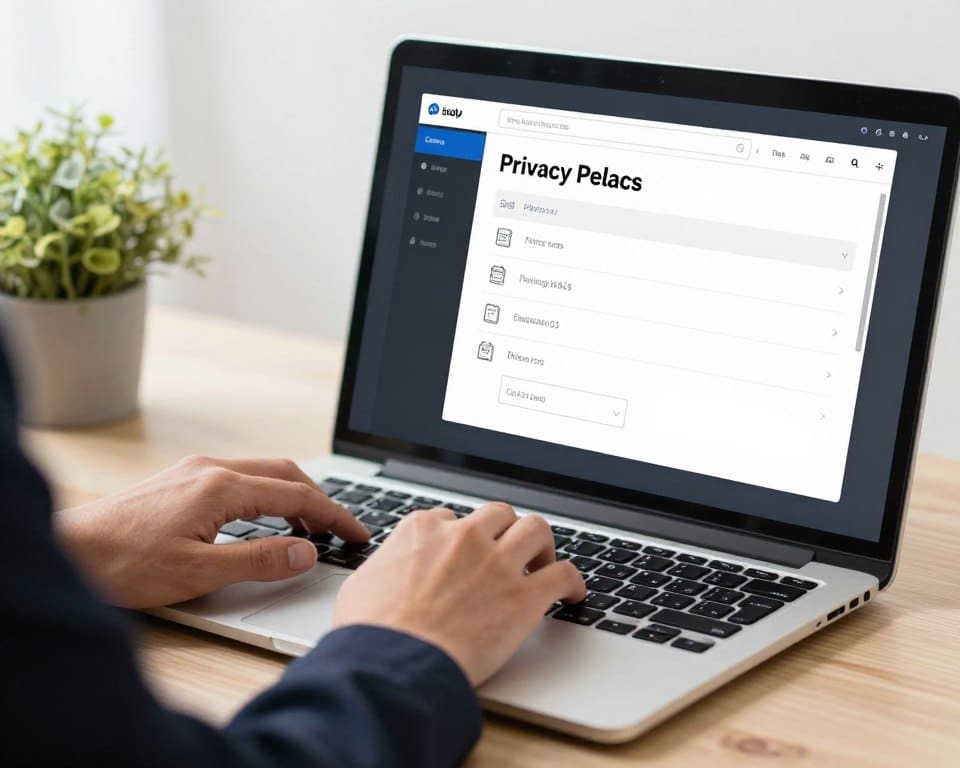
Essential privacy settings
Start by properly configuring privacy options across all your accounts and apps.This limits third-party access to your information, increasing your online security.
VPN usage and anonymous browsing
Using a VPN (Virtual Private Network) encrypts your internet connection, preventing people and organizations from monitoring your online activity, especially on public Wi-Fi networks.In addition, privacy-focused browsers such as DuckDuckGo and Brave offer additional protection by blocking trackers and ads.
Anonymous or private browsing is useful to prevent your history from being stored locally, but it does not completely prevent tracking by websites and internet providers.
Protecting your data on mobile devices
Data protection on mobile devices is crucial in the digital age.Mobile devices store a large amount of personal information, making it essential to take steps to protect your privacy.
Application permissions management
It is essential to manage the permissions of apps which you install on your device. Many apps they request more permissions than they actually need to function, which can compromise their privacy. To manage permissions on Android, go to Settings > Apps > select the app > Permissions. On iOS, go to Settings, scroll until you find the app you want, and adjust permissions on the corner from screen.
Regular cleaning of cookies and history
Perform regular cleaning of cookies, cache and browsing history in your mobile device helps reduce tracking and frees up storage space.This is an important step to maintain your privacy online and prevent third parties collect your data without consent.
Controlling your privacy on WhatsApp

WhatsApp offers several options for you to control your privacy.It is important to understand and use these settings to ensure that your information is secure.
WhatsApp privacy settings
In WhatsApp privacy settings, you can set who can see your profile photo, “last seen” status and profile information. You can choose between “all”, “contacts only” or “no one” to control who has access to this information.
Control who can see your status and information
You can also customize who can add you to groups by creating a list of exceptions for specific people. Additionally, controlling who can see your status allows you to share updates only with selected contacts, deleting specific people without them knowing. Regularly review your blocked contact list and your account security settings to ensure that only authorized users have access to your information.
Parental monitoring tools

Parental monitoring tools are valuable resources for parents who want to ensure the safety of their children in the online world.With the increasing use of applications such as WhatsApp, these tools become even more relevant.
Protecting children and teens online
Protecting children and teens in the digital environment is a priority for many parents.Apps like AirDroid Parental Control allow parents to monitor their kids’ activities, limit screen time, and check who they are talking to.
Features and limitations of control tools
These tools offer features such as content filters, blocking specific apps, monitoring video calls and messages, and activity reports.However, it is important to balance the privacy of the child or adolescent with the need for protection by establishing clear rules on monitoring.
It is critical to understand that the limitations of these tools include the possibility of being circumvented by more experienced adolescents and the risk of creating a relationship of distrust if not used with transparency and dialogue.
Signs that your activity is being monitored
There are several indications that your online activity is being monitored.A hacker can gain access to your search and browsing history by installing malware on your device.
Your device may be being monitored if you notice suspicious behavior.For example, if your device’s battery discharges quickly or if it heats up for no apparent reason, this may be a warning sign.
Suspicious behavior on devices
Apps that open on their own, camera that activates without a command, or activities that you have not performed on your account are signs that something is wrong. Regularly check the list of apps installed on your device and remove those that you do not recognize.
How to identify malicious applications
On Android, for example, you can check which apps have sensitive permissions by going to Settings > Apps > Manage apps > [selecione o aplicativo] > Permissions. This helps to identify potential malicious applications.
In addition, if a suspicious user visits your profile frequently or interacts strangely with your content, this can also be a sign that that person is monitoring your activities on social networks or on your personal page.
Conclusion
Understanding who can see your online activity is the first step to safe browsing.Although you cannot know for sure who views your online activity profile on most platforms, there are several ways to control who has access to your information.
Periodically review your privacy settings, the list of apps installed and the terms of service of the platforms you use. Remember that the security digital is an ongoing process. Educate people close to you about the risks of digital exposure and how to protect your information.
Dedicate one period regular to check and update your privacy settings while maintaining control over your data.



