
Glucose Monitoring App: Control Your Diabetes
Announcements
Managing diabetes requires constant vigilance, and an app to monitor glucose can completely transform your health care routine.These apps allow you to track your blood sugar levels in real time, identify patterns, and make more informed decisions about your eating and medication.
Announcements
You’ve probably heard about glucose monitoring apps, but you may be confused about which one to choose or how to use it properly. This article explores the key features, practical advantages, and especially the common mistakes you should avoid when using these tools to get the most benefit in controlling your diabetes.
How an App Works to Monitor Glucose
A glucose monitoring app acts as a sophisticated digital diary that records and organizes your blood sugar levels. You enter your glucometer readings manually or, in more advanced cases, the app connects directly to your continuous monitoring device to import data automatically. This integration eliminates typing errors and saves significant time in your daily routine.
In addition to recording numbers, these apps analyze trends over hours, days, and weeks.You can view charts that show how your glucose varies at different times of the day, helping you identify patterns that would not be apparent just by looking at isolated readings.
Essential Features Every App Should Offer
When you choose an app to monitor glucose, you should look for features that really make a difference in your day to day. Automatic data logging is one of these critical features, as it dramatically reduces the time spent on manual notes and decreases the likelihood of errors. Apps that synchronize with your continuous glucose monitoring devices provide this convenience and significantly increase your adherence to control.
Customizable reports are another key feature you need. A good app allows you to generate reports with different time periods, specific metrics, and varied charts to share with your doctor.This flexibility ensures you present relevant information at appointments, facilitating discussions about medication adjustments or changes in treatment plan.
The ability to record factors associated with blood glucose is also extremely important.You should be able to write down meals, medications, physical activities, stress and sleep quality in the same app, creating a complete context for each reading.When you can view these factors side by side with your glucose readings, it becomes much easier to identify causes of unexpected peaks or falls.
Top Mistakes When Using Glucose Monitoring Apps
One of the most common mistakes you can make is blindly trusting the app without validating the data with your certified glucometer. Some apps allow you to enter readings manually, and it’s easy to type a wrong number or forget to update an important read. Always make sure you’re recording the correct values, and if the app offers automatic synchronization with your continuous monitor, confirm that this connection is working properly.
Another serious mistake is to neglect the contexts recorded along with your readings. You can fall into the trap of entering only glucose numbers without noting what you ate, whether you took your medication on time or performed exercises. Without this contextual information, the app becomes just a database of numbers, losing its actual diagnostic ability.Depend a few minutes more to record these details, as they are the key to understanding your control pattern.
You can also make the mistake of not sharing the data generated by the app with your doctor regularly. Many users collect months of valuable information in the app, but do not use it in appointments. This waste of data means that your doctor makes decisions with incomplete information, potentially missing opportunities to optimize your treatment. Set up reminders to export and review your reports before each medical appointment.
Integrating the App into Your Daily Routine
For you to get the most benefit from an app to monitor glucose, integration into your routine should be as natural as checking the clock. Ideally, set fixed times to record your readings, usually coinciding with main meals and before bed. This consistency not only ensures that you never forget an important reading, but also creates patterns in the app that are easier to analyze.
You can take advantage of the notifications and reminders offered by the app to stay consistent. Many apps allow you to set up custom alerts that warn you when it’s time to check your glucose or log a meal. These reminders work like your personal assistant, especially important in the first few months when you’re still developing the habit of using the app regularly.
Consider using the app not only to record data, but also as an educational tool.You can review your own charts regularly to learn how different foods, activity levels, and stress situations affect your glucose.This self-discovery turns monitoring a boring task into a continuous learning process about your own body and needs.
Synchronization with Medical Devices and Data Security
Syncing between your app and medical devices like continuous glucose monitors is a technological advance you should not ignore. When you connect your app to your glucose meter or continuous monitoring device, it eliminates the need to manually type each reading. This automation reduces errors and frees up your time for more important activities, while also ensuring that no reading is forgotten.
However, you should be aware of the security of your sensitive health data. Choose applications that use end-to-end encryption and that are certified or recognized by competent health agencies. Check the privacy policy of the app to understand exactly how your data is stored, who can access it and whether there is sharing with third parties. Never compromise your privacy for convenience when choosing an app.
You should also keep your login credentials secure and never share your access to the app with others, even family members. If you want a caregiver or doctor to see your data, use the official sharing features the app offers, which often let you control exactly who sees what and for how long. This approach protects your privacy while making it easier for healthcare professionals to engage when needed.
Data Analysis and Evidence-Based Decision Making
One of the biggest benefits of using an app to monitor glucose is the analytical ability it offers. You can view your glucose average over different periods, calculate your time in range (the percentage of time your glucose stays within the target range), and identify seasonal or cyclical trends. These metrics turn raw data into actionable information that you and your doctor can use to make informed decisions.
When you examine your charts regularly, you can identify patterns that may not be obvious in isolated readings. For example, you may find that your glucose consistently rises two hours after lunch, or that certain days of the week have higher values. These findings allow specific, targeted adjustments to your treatment plan, improving your control faster than generic approaches.
You should avoid the common mistake of making hasty decisions based on just one or two days of data. Glucose monitoring is about long-term trends, not normal daily fluctuations.Please take weekly or monthly time to analyze your data with perspective, identifying genuine changes in your pattern before implementing significant adjustments to your medication or lifestyle.
Selecting the Right App for Your Specific Needs
You will find on the market several glucose monitoring applications, each with its own characteristics and target audiences. Some apps are highly focused on simplicity, offering only the essentials to record and view readings. Others include advanced features such as AI-based insulin suggestions, full integration with wearables and predictive analytics.
A frequent mistake you should avoid is choosing an app just because it looks “beautiful” or because friends use it. The right app for you is one that you will actually use consistently, that offers the features you need and that works well with your existing medical devices. Test free versions or trials whenever possible, as using an app for a few days will quickly reveal if it integrates well with your routine.
You should also consider the support offered by the app developer and the user community. Apps with active forums, video tutorials, and responsive support staff make the learning process a lot easier and help you solve problems quickly. If you find an excellent app but with poor support, you may face difficulties when you need help troubleshooting technical issues or maximizing available resources.
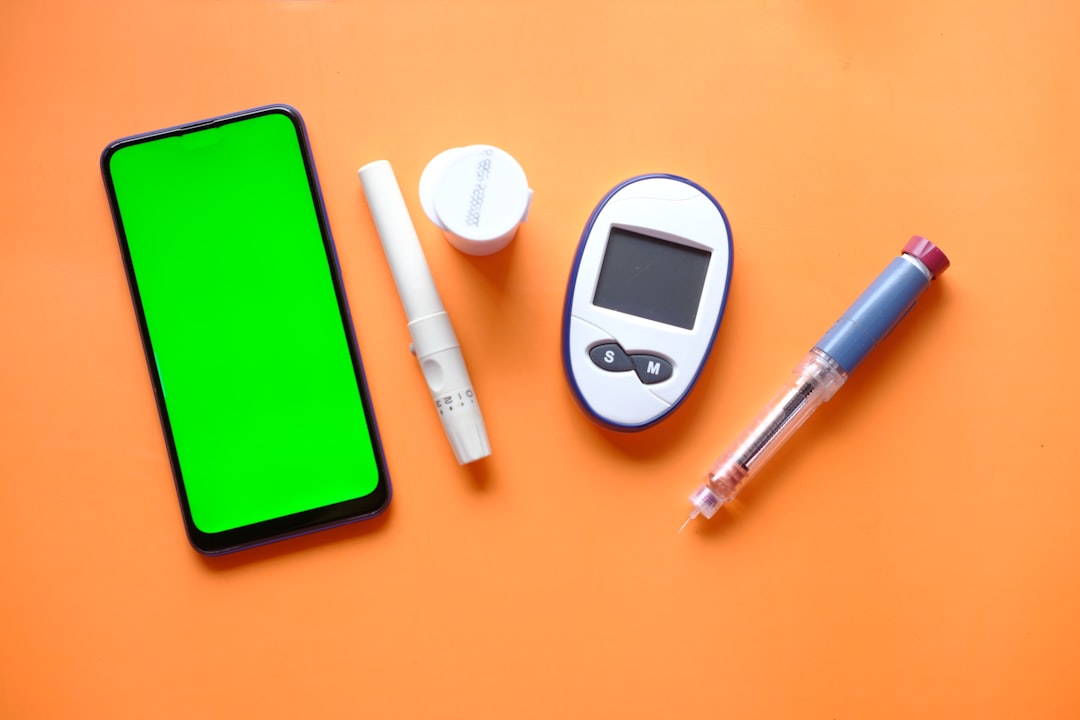
Collaboration with Health Professionals Through the App
The best glucose monitoring apps make it easy for you to collaborate with your medical team. You can share your data with your endocrinologist or doctor safely and automatically, allowing the practitioner to track your control between appointments.This continuous visibility allows your doctor to identify problems earlier and make recommendations based on real data, rather than relying solely on information from a specific time.
When you use an app that offers built-in communication features such as secure messaging with your doctor, collaboration becomes even more efficient. You can send quick questions, share specific charts, or alert your practitioner to worrisome readings without waiting for the next appointment.
However, you should not make the mistake of trying to interpret your data independently without professional guidance.An app offers useful views and trends, but medical diagnoses and treatment adjustments should always come from a qualified professional.Use the app as a tool for communication and monitoring, but reserve important clinical decisions for discussions with your doctor based on your entire health situation.
Maintaining Consistency and Motivation Over Time
A real challenge you will face is to maintain consistency in app usage over the long term. The first few months are usually exciting, with you exploring features and following data diligently. Over time, though, the routine can become tiring and you can start skipping logs or using the app intermittently. This is one of the biggest mistakes you can make as it significantly reduces the quality of insights the app can provide.
For you to stay motivated, consider using the app as a positive self-supervision tool, not as a constraint or punishment. Celebrate your achievements when you reach your target range for extended periods or when you can improve a specific metric.Many apps offer badges, streaks, and progress reports that positively reinforce your consistent behavior.Leverage these gamified features as they make monitoring more engaging.
You can also find online communities of people with diabetes using similar apps. Sharing experiences with these users offers valuable perspectives, practical tips, and perhaps most importantly, a sense of community that reduces the isolation often associated with the ongoing management of a chronic condition.
Software Updates and Device Compatibility
You should be aware of the software updates offered by your glucose monitoring app. Developers regularly release updates to fix bugs, improve performance, and add new features. Installing these updates when available ensures you have access to the latest features and the most up-to-date security protections.
A common mistake is to neglect compatibility when switching mobile devices. When you switch smartphones or update your operating system, make sure your favorite app is still compatible and syncs properly.Some apps may discontinue support for older versions of iOS or Android, leaving you with no option but to migrate to another app. Checking compatibility in the future helps you plan for possible transitions in advance.
You should also regularly back up your glucose data. Many apps offer export features that allow you to save your records in formats like CSV or PDF. Even if the app is discontinued or you decide to switch to another, having a backup ensures that you will not lose your historical data, which is valuable for you and your doctors to understand your control pattern over time.
Advanced Features and Customization
As you become more experienced in using an app to monitor glucose, you can explore advanced features that many apps offer. Some apps include dietary pattern analysis, carbohydrate estimates, and insulin adjustment suggestions based on your historical data. These sophisticated features can significantly improve your control, but require you to learn how to use them correctly.
Customizing the app to your specific needs is also important. You can generally adjust your target glucose range, reminder frequency, interface language, and what metrics are displayed on your dashboard. Investing time in setting up the app in a way that works exactly as you need will increase your likelihood of using it consistently. An app that feels like a personal, unenforced tool is much more likely to keep you going for long periods.
You can also set up more specific alerts and notifications in addition to log reminders. Some apps allow you to receive alerts when your glucose enters dangerous ranges, both too high and too low. These alerts can be set with different thresholds for different times of day, offering personalized protection based on your own risk pattern.
Cost and Business Models of Apps
When you are considering which app to monitor glucose use, cost is an important practical consideration.There are completely free apps that offer basic functionality, apps with limited free version and paid premium version, and apps that are offered for free by medical device manufacturers. Understanding the business model of the app helps you make an informed financial decision.
One mistake you should avoid is completely disregarding paid apps without examining whether the cost is worth it for your specific benefits. A premium app can offer advanced analytics, ad removal, priority support, and integration with more devices.For you, these extra features can completely justify the investment, especially if they mean better control of your diabetes.
You should also check whether your health plan or government agencies offer refunds or grants for certified glucose monitoring applications.Some insurances recognize the value of these applications for diabetes management and cover the cost partially or fully. Investigating these options can significantly reduce your personal investment while you get a proven quality tool.
Digital Literacy and Training
You may be familiar with smartphones and apps in general, but that doesn’t mean you’ll automatically use a glucose monitoring app optimally.Most of these apps offer initial tutorials, help documentation, and sometimes training webinars.
If you have difficulties with technology, do not give up easily. Many apps are being developed with increasingly intuitive interfaces, specifically recognizing that users with diabetes cover all age groups and levels of technical skill. You can ask family, friends or even health professionals for help in learning how to use the app properly. This initial learning curve is well worth the long-term benefits you will get.
You should also take advantage of online communities and forums dedicated to your specific app.Experienced users often share tips, tricks and solutions to common problems. These communities can significantly speed up your learning and help you discover features or uses of the app that you would never have discovered yourself by reading the official documentation.
Transition and Migration Between Apps
At some point, you may decide that another app would be more appropriate for your evolving needs. This transition does not have to be traumatic or mean data loss. Before migrating, you must export all your data from the previous app in a standard format like CSV or PDF. These files allow you to transfer your historical records or at the very least keep a personal file of your glucose control history.
The most common mistake you should avoid during a migration is losing momentum in monitoring while working to learn the new app. Configure the new app completely before discontinuing the previous one. Ideally, you can run both simultaneously for a few days to ensure that the transition is smooth and that you do not fail to record any important reading during the change process.
You should also communicate the app change to your doctor or healthcare team, especially if the previous app had integration with your electronic medical record systems. Coordinating this transition ensures that there are no gaps in tracking your clinical data and that your new app can properly connect to the same devices and systems you used before.



