
Automotive Scanner App: Full Diagnosis
Announcements
Are you tired of paying dearly in workshops to find out what is wrong with your car? An automotive scanner app offers the solution you are looking for. With the right technology on your mobile, you access complete diagnostics in a few minutes.
Announcements
Choosing the best vehicle diagnostic application is not simple, especially with so many options available in the market.This article helps you understand how these tools work, what is the best option for your needs and how to use them efficiently.
How an Automotive Scanner App Works
An automotive scanner app connects to your vehicle’s OBD-II port via a Bluetooth or WiFi adapter. This standardized port is present in almost all cars manufactured after 1996, allowing the app to access data from the vehicle’s computer in real time. The software decodes the error codes (DTC) that the car system generates, translating complex technical information into language understandable to the owner.
The process is quite simple in practice: you download the app, plug the OBD-II adapter into the diagnostic port of your car (usually located under the steering wheel), pair the device with your smartphone via Bluetooth and open the app. Within seconds, you view tire pressure readings, fuel consumption, engine temperature, revolutions per minute and any fault code that the system has detected. Many apps also store history of this data, allowing you to track problems over time.
Differences Between Free and Paid Apps
The free automotive scanner apps offer basic functionality that solves most simple diagnostic problems.You can read fault codes, view data in real time and even clean up some minor errors.However, their limitations appear when you need deeper analysis or detailed history of problems. Many free versions show ads during use, which can be cumbersome in emergency situations.
Paid versions eliminate ads and unlock advanced features such as reading specific sensors, detailed historical graphics, PDF reports to take to the workshop and technical support via chat or email. These paid apps also often have more frequent updates, compatibility with more vehicle brands and a more intuitive interface. The investment varies between R $ 50 and R $ 200 annually, a price much lower than what you would pay in a single diagnostic query at a dealership.
Comparison Between the Best Market Options
When you search for the best automotive scanner app, three names consistently appear: OBD Auto Doctor, Torque Pro and Car Maint. Each of them caters to different user profiles, from professional mechanics to owners who just want to save on unnecessary diagnostics. Understanding the particularities of each helps you make a choice aligned with your real needs and budget.
OBD Auto Doctor is known for its extremely user-friendly interface and clear language explanations of problems. When a fault code appears, the app not only shows the technical code, but explains what it means, what the probable causes are and how serious the problem is. You can use the free version with minimal limitations, making it ideal for novice owners. The paid version unlocks advanced graphics and integration with maintenance history, costing approximately R$ 100 per year.
Torque Pro is preferred by mechanics and car enthusiasts who want full control over the data. This application allows you to completely customize what information you want to monitor, create custom dashboards and even record videos with the data superimposed on the screen.It supports modifications to the vehicle itself and offers integration with cloud services to synchronize data between devices. The price is slightly higher, around R $ 150, but the depth of functionality justifies the investment for advanced users.
Car Maint combines diagnostics with a complete preventive maintenance system. In addition to reading fault codes, the app will remind you when it’s time to overhaul, change oil, align wheels or do other essential maintenance.For owners who want to completely control the health of the vehicle and avoid problems before they become expensive, this is an excellent choice. The free version offers solid functionality, while the premium (about $ 80 per year) adds cloud synchronization and detailed reports.
Choosing the Right App For Your Needs
Choosing the best automotive scanner app starts with a simple question: what is your main goal? If you just want to save on expensive diagnostics when an alert light appears on the dashboard, a basic and free app solves perfectly. You can identify if the problem is serious or can wait until the next workshop, saving unnecessary visits.In this scenario, OBD Auto Doctor Free offers the best cost-benefit of the market.
If you are an engaged owner who wants to track the health of your vehicle continuously and do preventive maintenance, Car Maint is the best option. The app organizes all maintenance history in one place and offers smart reminders based on mileage and time. You avoid expensive problems developed by negligence, as well as facilitating the sale of the vehicle in the future with full registration of care. Investment in prevention always results in greater savings in the long term.
For professional mechanics or automotive enthusiasts, Torque Pro is unmatched in advanced functionality. The ability to create custom dashboards, integrate with external tools and analyze in-depth data offers genuine competitive advantage.If you work with vehicle diagnostics or modify cars, this is the only app that offers the level of control you really need.
Step by Step To Use an Automotive Scanner App
Before anything, you need to purchase an OBD-II adapter compatible with your smartphone. There are Bluetooth (wireless) models, which are more practical, and models with USB cable, which are usually more reliable. Check that the adapter is compatible with both your operating system (Android or iOS) and the make and model of your vehicle. Quality adaptors range from R $ 80 to R $ 300, and it is a one-time investment that you will use for years.
With the adapter in hand, locate the OBD-II port of your vehicle, almost always positioned under the steering wheel or near the instrument panel. Fit the adapter into the port until you hear a click confirming that it is securely attached. Turn the car on in accessory mode (without starting) so that the electrical system activates. Open the Bluetooth settings of your smartphone, look for the adapter (usually has a default name like “OBD” or the brand name), pair it and set a password if prompted.
After successful pairing, open the scanner app you chose and select the option to connect to the adapter. Within a few seconds, the app should display your vehicle information such as make, model, engine serial number and real-time data. If an alert light appears on the dashboard, the app will show you exactly which fault code was generated. You can then search the meaning of the code, understand if it is urgent and decide whether to go to the workshop immediately or you can schedule for later.
Practical Advantages of Using Automotive Scanner on Your Mobile Phone
Financial savings is the most obvious advantage of using an automotive scanner app. A diagnostic consultation at a dealership or specialized workshop costs between R$ 100 and R$ 500, depending on the complexity. With an app, you make unlimited diagnostics by spending a single time with the adapter. If you use the application only three times during the life of the adapter, you will have already saved money in relation to the cost of a professional consultation.
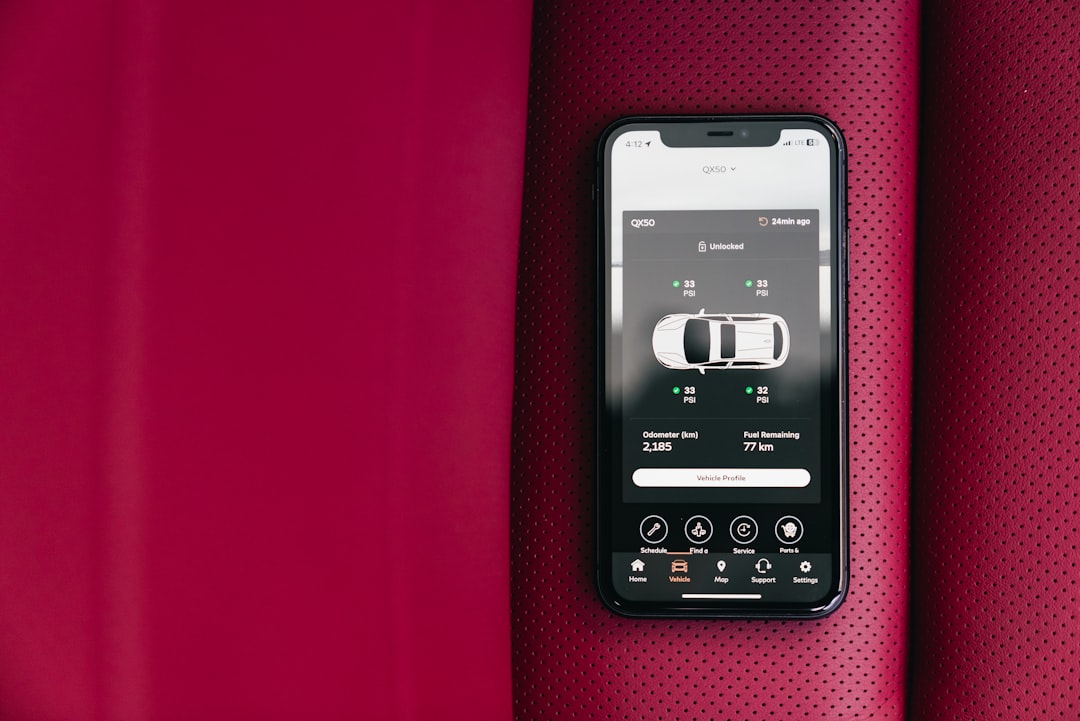
In addition to the economy, you gain time and autonomy. You do not need to schedule schedules, travel to a workshop or leave your vehicle in the hands of third parties to find out what is happening. You diagnose the problem in the comfort of your garage in minutes. This prior information also strengthens your position when talking to a mechanic, allowing you to already arrive knowing what the problem is and can better negotiate the repair budget.
Safety is another often overlooked advantage.Knowing the actual state of your vehicle avoids dangerous surprises on the road.If the scanner detects a problem with the brake or suspension system, you have the opportunity to correct before a critical situation.For owners who drive a lot, especially on long journeys, this peace of mind is invalid. You can also monitor fuel consumption in real time, identifying inefficient driving habits or mechanical problems that increase consumption.
Limitations You Should Know
Although an automotive scanner app is extremely useful, it does not completely replace a professional mechanic.The app can read fault codes and show engine data, but does not diagnose mechanical problems that do not generate code on the car’s computer. An oil leak, brake pulling to one side or heavy steering are problems that the app can not detect because the vehicle’s computer does not monitor these specific issues.
Another important point is the limited compatibility with some vehicles, especially old models before 1996 or very new with closed proprietary systems. Certain manufacturers, notably some German and Japanese premium brands, have additional communication protocols that basic apps cannot access.
The quality of data interpretation depends a lot on your technical knowledge. A fault code can have multiple causes, and an app shows the most common, but not always the real cause. If you have no experience with mechanics, you can misinterpret the information and make wrong decisions. In these cases, the app works best as a complement to the knowledge of a professional, not as a total substitute. Use it to have information before consulting a mechanic, not as a final diagnosis in complex situations.
Advanced Features That Add Value
The best modern automotive scanner apps offer features that go beyond simple diagnostics. Cloud synchronization allows you to access your vehicle’s trouble history from any device, creating a permanent database that facilitates pattern tracking.If the same sensor repeatedly fails, you easily identify the pattern and set off for a permanent solution instead of bandaid repairs.
Integration with preventive maintenance systems automates the monitoring of necessary care. The app can remind you based on mileage, time since the last maintenance or both. For owners with multiple vehicles, this functionality saves time and prevents maintenance errors.You do not risk forgetting to change oil from one car while taking care of the other.
Some apps offer customizable dashboard where you choose exactly what information you want to monitor in real time while driving. You can create screens to monitor fuel consumption, engine temperature, fuel pressure and dozens of other parameters. To track intermittent problems that appear only under certain driving conditions, this functionality is pure gold.
The ability to export PDF reports adds significant value when you take the vehicle to the workshop or sell the car. A full report showing all maintenance history and identified issues elevates the resale value by demonstrating that you took good care of the vehicle. Potential buyers are more confident in purchasing a car with such detailed care documentation.
Practical Tips to Maximize Use of Your App Scanner
Start by monitoring your vehicle data in different scenarios: maximum acceleration, cruising speed, stopped traffic. This creates a normal operating baseline of your car, allowing you to identify anomalies more easily when they arise. Photograph or write down these normal data for future reference. Thus, when something seems strange, you have to compare with expected operation.
When a fault code arises, do not panic. Search the code online and consider the circumstances in which it appeared. A cold weather oxygen sensor fault code may be just a momentary anomaly. Write down when the code appeared, under what circumstances and how often. If the same code appears repeatedly under the same conditions, then yes you know that there is a real problem to solve.
Use the app to learn about your vehicle.Each car is unique, and knowing how yours works normally helps immensely in diagnosing problems. Understanding the difference between a fault code that requires immediate attention (such as low oil pressure) and one that can wait (such as secondary oxygen sensor) prevents unnecessary trips to the workshop.
Keep your OBD-II adapter in good condition as it is the heart of the system. Store in a place protected from extreme humidity and heat. Regularly check that your car’s OBD-II port is clean from dirt or debris. A properly maintained adapter provides years of reliable service, while one left in poor condition may damage and need replacement.
Always update your scanner apps. Developers constantly add compatibility with new vehicle models and improve diagnostic accuracy. An outdated application may lose important functionality and have reduced compatibility. Take a few minutes each month to check for updates available in both the app and the adapter firmware.
When problems arise that the app can not adequately explain, this is a sign that you need the expertise of a professional. A good automotive scanner saves time and money by identifying problems clearly, but complex situations still need an experienced mechanic. Use the app as an initial diagnostic tool, never as a complete replacement for qualified professionals in complicated cases.



