
Get more memory for photos, videos, and apps
Announcements
Many people believe that the memory of the mobile phone is something immutable and that there is no way out when the space ends.The truth is that there are several practical and efficient ways to expand the storage capacity of your smartphone, from simple methods to more robust solutions that you probably do not know yet.
Announcements
In this complete guide, you will discover not only how to increase cell phone memory, but also understand what myths surround this topic and what are the truths that really matter to optimize your device. You will learn techniques that really work, avoid common pitfalls and have your mobile working with much more space available.
The Myth of Fixed Memory: Why you can expand your phone
One of the biggest myths about smartphones is that the internal memory is completely fixed and can not be expanded in any way. This information circulates widely and discourages many users who face the lack of space. In reality, you have several options to increase the available memory, even if the mobile does not have a memory card slot. Some brands have eliminated this functionality in recent years, but this does not mean that their options are over.
The truth is that expanding mobile memory goes beyond just inserting a microSD card. You can free up significant space using cloud storage, managing applications, cleaning up temporary data and even using modern external solutions. Many users waste gigabytes of space without even realizing it, simply because they are unaware of where this space is being used. Understanding this scenario completely changes their relationship with the device.
MicroSD card: the classic form still works very well
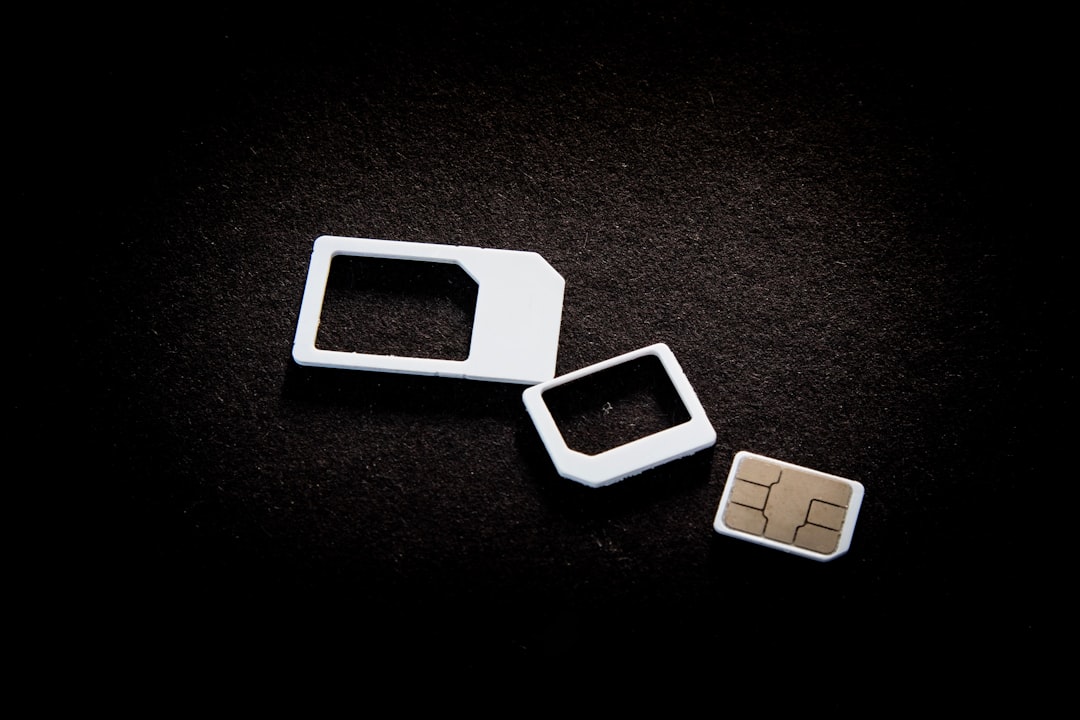
If your phone has a memory card slot, you have the simplest and most direct way to expand the memory of the phone. Current microSD cards offer capacities ranging from 32GB to 1TB, providing a considerable increase in space. The installation is extremely easy: you remove the chip tray, insert the card into the appropriate slot and ready, your phone immediately recognizes the new available space.
When choosing a microSD card, look for reliable brands like SanDisk, Kingston or Samsung, as they guarantee proper speed and durability. A common myth is that any microSD card is good for photos and videos, but the writing speed really matters if you plan to record videos in high resolution or transfer files quickly. Cards with V30 rating or higher guarantee at least 30MB per second of writing speed, which is enough for most users. You still save a lot compared to buying a mobile phone with more internal memory, making this solution much more financially viable.
Cloud Storage: the truth about this modern solution
Cloud storage is often touted as the ultimate solution to expand mobile memory, but many users don’t really understand how to take advantage of this technology. Services like Google Drive, OneDrive, Amazon Photos and iCloud offer free plans with up to 15GB of space, making it an excellent way to store photos, documents and videos without taking up your device’s local memory.The truth is that you can set up automatic photo and video synchronization to the cloud, freeing up this space immediately on your mobile.
An important myth to clarify is that you need constant internet to access files in the cloud. Although it is true that synchronization happens with internet, you can selectively download the files you often use for offline viewing. Thus, you have the best of both worlds: space available on your mobile phone and access to your files when you need it. Many paid plans offer terabytes of space for very affordable prices, making this solution viable for those who work with many files and need additional security.
Temporary Data Cleanup: you can release gigabytes immediately
Your phone accumulates an impressive amount of temporary data that you don’t even notice, such as app caches, temporary browser files, and residual data from uninstalled apps.Often, you can free gigabytes simply by cleaning up these unnecessary files, and this is a crucial step before considering more expensive solutions.Most phones offer native tools for doing this cleaning, usually found in Settings > Storage or similar section depending on the manufacturer.
A popular myth is that cleaning this data can damage applications, but in fact apps automatically rebuild these caches as they are used again, and their functionality is not affected. You can also use specialized cleaning applications, although the native operating system solution is usually sufficient and more secure. In addition, deleting old applications that you no longer use can free up hundreds of megabytes, since many modern apps take up considerable space with their libraries and cache data.
Optimizer apps: truth or lie about their capabilities
The market is full of applications that promise to free up mobile phone memory instantly, but you need to be cautious when trusting them blindly.The truth is that some of these applications work well and offer useful analysis of space usage, while others are simply superficial or even harmful. A good optimizer should show which applications consume the most space, identify duplicate files and allow selective cleaning of temporary data.
A dangerous myth is to believe that any cleaning app can expand mobile phone memory permanently or increase speed significantly. In reality, these apps work better as analysis tools than as magic solutions.If you choose to use one, opt for recognized brands like CCleaner or Files by Google, which offer reputable functionality without predatory practices.The truth is that manual cleaning, combined with your system’s native tool, usually produces better results than relying on third-party apps.
Photo and Video Management: where you really lose space
Photos and videos are responsible for consuming most of the memory on any modern mobile, especially since current devices capture at ever-increasing resolutions. You should be strategic about where to store these files to expand cell phone memory significantly. The best practice is to automate the backup of these media to the cloud as soon as they are captured, allowing you to remove them from local storage after confirming that they have been synchronized correctly.
A common myth is that you lose quality when uploading photos in the cloud, but services like Google Photos offer backup in original quality if you upload manually, or compressed quality in unlimited plan.The truth is that most users do not notice difference in compressed photos when viewing on their phones or sharing on social networks. You can also move old video file to microSD card or external disk, keeping only recent and important videos in the main storage of the mobile.
Strategic Uninstall of Apps: get rid of what you do not use
Many users accumulate apps over time without ever using most of them, and uninstalling those apps is one of the fastest ways to expand mobile memory. Some apps take up more than 500MB or even 1GB when they include cache data, games, and multimedia libraries. You should do a sincere audit of your apps and ask yourself if you actually use each one regularly.
One myth is that keeping apps installed but not used consumes a lot of battery or impairs daily performance, when in reality the impact is mainly on storage. The truth is that you can always reinstall an app later if you need it again, then there is no real risk in uninstalling it. Start with the apps you haven’t opened in months, then move on to those you really don’t need anymore. You’ll probably find hundreds of megabytes or gigabytes to release with this simple process.
External and Portable Drives: modern physical solutions
Whether you work with many files or are a content creator, a USB-C external drive offers an excellent way to expand mobile phone memory without relying on the cloud. These devices connect directly to your smartphone and allow you to store large files such as high-resolution videos, batch photos or full backups.
A popular myth is that external drives damage the cell phone or consume a lot of battery, when in reality the impact is minimal and generally controllable. You can transfer files at times when you have the cell phone charging, avoiding significant battery consumption during normal use. Modern portable drives are small, fast and relatively affordable, making this option viable especially for professionals who need to expand cell phone memory in a portable way.
Automatic Sync: use technology to work for you
Setting up automatic synchronization of different types of files to the cloud is possibly the smartest approach to expand mobile phone memory continuously without manual effort.You should automate backup of photos, documents, contacts and messages, ensuring that this data is always synchronized in multiple locations. Thus, when you delete files from the mobile phone, the backup remains safe in the cloud, and you recover local space immediately.
The truth is that most users do not fully take advantage of the automatic synchronization tools available on their phones, especially Android users who have various options like Google One and Automatic Backup. A myth is that automatic synchronization harms privacy, but you can choose which data to sync and for which service. Set it up in the way you feel comfortable, and you will see your available memory increase significantly week after week as files are automatically removed from local storage after successful synchronization.



