
Increase Cell Phone Battery for Free!
Announcements
Are you tired of getting stuck with a charger looking to extend the battery life of your smartphone?The good news is that there are practical and free solutions that can significantly increase the autonomy of your device.
Announcements
Many people do not realize that accelerated battery consumption comes from simple habits that can be fixed immediately, without spending a penny on paid apps.In this guide, you will learn proven strategies and free tools that really work in your day to day.
Why does the battery of the phone discharge so fast?
Battery life depends on several factors that work against you simultaneously. Apps running in the background, screen with maximum brightness, active connections such as Bluetooth and WiFi, and automatic updates consume an impressive amount of energy. When you understand these villains, it is easy to fight them intelligently.
Your operating system also performs tasks you might not even think are happening.Synchronization of emails, location updates, tracking physical activity, and constant notifications drain the battery quickly.
Do free battery saving apps really work?
Yes, but with important caveats you need to know before installing anything. An app to increase the battery of the phone really works when your main focus is to manage processes in the background and disable features without you having to do anything manually. Most of the best apps in this category do not promise miracles, just automate settings that you could do yourself.
The key is to choose low-power apps to deliver even greater savings. Heavy-duty apps that run constantly monitoring your phone paradoxically consume more battery than they save. So minimalist and efficient tools work better than complex solutions full of unnecessary features.
Native settings that save battery immediately
Your phone already has built-in power-saving features that require no additional installation. Dark mode reduces consumption on OLED displays by up to 40%, depending on how much time you spend on apps with a white background. Enabling battery-saving mode reduces processor performance, but keeps all essential functions running normally for most tasks.
Reduce the automatic brightness of the screen and set it to moderate level instead of keeping it at maximum all the time. The screen accounts for up to 50% of the total power consumption on many phones, so this change alone can add several hours of use. Also set a shorter lock time, such as 30 seconds, so that the phone sleeps quickly when you are not using.
Turn off push notifications for apps that don’t really need to warn you in real time. You don’t need immediate notifications from social networks, games, or shopping apps. Set up email sync to check every 15 minutes instead of doing it continuously, and keep location in low-cost or off battery mode when you’re not browsing.
Real use case: Turning a smartphone with critical battery into productive
Imagine that you work all day outside and your old three-year phone is lasting only 4 hours before dying completely. You could buy a new phone spending thousands of dollars, or implement saving strategies that multiply the current duration by 2 or even 3 times. A project manager who receives constant calls managed to extend its autonomy from 4 to 10 hours just by disabling unnecessary synchrony and using dark mode.
A mother who spends the day taking care of her children and needs to be always accessible managed to gain 6 additional hours of battery simply by closing music streaming apps that ran in the background and disabling automatic app updates. Your phone spent 16 hours out of the socket, which was impossible before. These scenarios show that you are not alone in this problem and that practical solutions really work.
An app driver that relies on the phone being always on for 12 hours of work has implemented an intelligent charging system: charges the battery up to 80% in the morning, activates economy mode after 14h, and charges again during the lunch break. This strategy keeps the phone running the entire shift without the battery suffering accelerated degradation by multiple full charge cycles.
Intelligent app management for longer duration
Not every app installed on your phone needs to be continuously consuming power in the background. Check which apps are allowed to run in the background and revoke that permission for everything you don’t really need. Many apps keep working even when you don’t open them, updating data, sending notifications and processing information silently.
Uninstall apps you haven’t used in over a month, especially heavy games that leave residual components even after they’re closed. Each app you install increases the size of the operating system index and contributes to passive memory consumption. Keep only the apps you actually use regularly and free up space simultaneously.
Use web versions of services whenever possible instead of dedicated apps, especially for social networks. The browser consumes less memory and power compared to native apps that run constantly. If you access Instagram three times a day, using the browser at these times saves battery significantly compared to keeping the app installed and syncing continuously.
Battery technologies and operating system optimizations
Newer versions of Android and iOS have smart battery management algorithms that you can leverage even more. Android offers “Adaptive Battery”, which learns your usage patterns and limits apps that you rarely open. iOS implements “Low Power Mode” that you can voluntarily activate before reaching 20% battery. Both platforms allow you to know exactly which apps consume the most power through the battery usage menu.
Update your operating system regularly, because new versions always bring energy efficiency optimizations implemented by the manufacturer. An outdated phone consumes up to 15% more battery because it lost these cumulative improvements of each update. In addition, app updates also bring frequent optimizations, so do not ignore that update button.
Monitor your phone’s temperature because heated processor consumes more power compared to its normal performance. If the phone is heating up, close heavy apps like 3D games or video calls and wait to cool down. A constantly heated phone degrades the battery faster and worsens the power consumption cycle exponentially.
Practical strategies to increase battery during the day
Develop habits that transform your usage pattern on a daily basis. Put your phone in airplane mode during work meetings, classes or periods of intense focus, saving the energy that would be spent on signal searches. Charge your phone often in small cycles instead of waiting to completely discharge, because multiple partial cycles degrade the battery much less than full cycles.
Turn off WiFi when you are not using internet, because your phone keeps searching for available networks even without active connection. The same goes for Bluetooth, which consumes significant power only by searching nearby paired devices. Activate these connections only when you really need to use the function, do not leave it on by default all day.
Clean up application cache regularly through storage settings, removing temporary data that accumulates and consumes resources. Restart your phone once a week so that the operating system frees memory allocated by applications and processes that will never be terminated naturally.
Use scenarios where battery savings make real difference
If you travel frequently to different cities, a phone that can handle 16 hours of battery life means not having to carry the charger in your backpack. A tourist on a full-day tour can document the entire experience without worrying about charging. This freedom is worth more than the initial hassle of setting up battery savings when you are used to maximum performance.
Professionals working in environments where socket is scarce, such as street vendors, field technicians or construction analysts, need phones that survive the entire day of intense work. A small improvement in battery life of an additional hour means the difference between being productive until the end of the day or losing access to the customer when most needed. In these scenarios, saving battery is saving money and professional reputation.
Emergencies happen and you may be in a situation where you can’t charge your phone for hours. An accident, power outage, network isolation, any unexpected event becomes less critical if you have overtime autonomy. Keeping an optimized battery is investing in personal safety because your phone remains available for emergencies when it really matters.
Continuous monitoring and adjustment of your strategy
Dedicate 15 minutes a week to reviewing battery consumption on your phone and identifying apps that have started to consume excessively. Sometimes a recent update makes an app less efficient, or you have installed something that is performing unexpected tasks in the background.The knowledge of those who consume power allows you to make conscious decisions about maintaining or uninstalling them.
Adjust your savings settings as your daily needs change. If you have a day where you need to use your phone intensely for video calling or browsing, turn off some savings on that specific day.When you go back to the normal pattern, reactivate everything. This flexibility ensures you don’t sacrifice functionality when you really need it, only when you can expect reduced performance.
Compare battery life week by week to identify if your changes are working really. If duration increased from 8 to 12 hours after implementing the strategies, you have confirmation that the effort is worth. Tracking progress creates motivation to continue with habits that save energy, because you see the concrete result in your day to day.
When to replace the battery if all fails
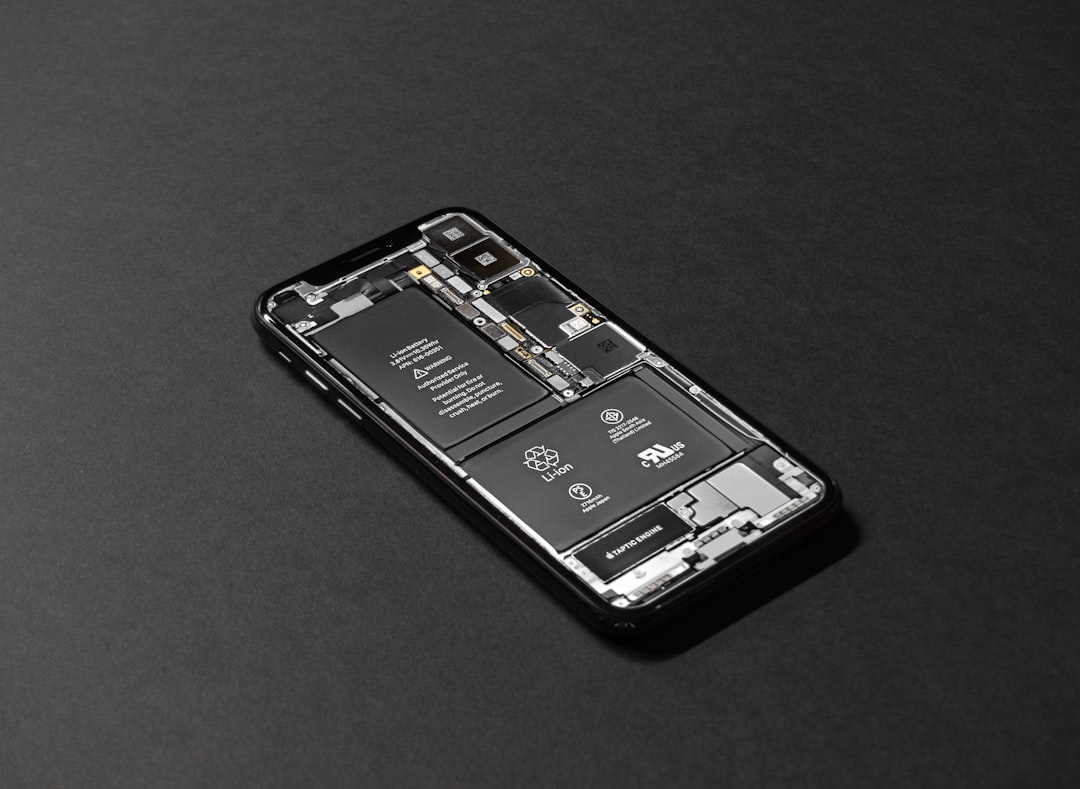
If your phone is too old, possibly the physical battery has worn out by repeated cycles of charging and discharging, and no configuration can compensate. Degraded batteries lose capacity to retain charge and there is no software that can multiply 1000 mAh lost. At this point, the physical exchange of the battery is more economical than buying new phone, especially in popular appliances where parts are available at a fair price.
Identify if you are in a faulty battery scenario by observing if the discharge is fast even with a full-rest telephone. If the device loses 10% of battery per hour without being in use, the battery has probably suffered permanent damage. A visit to an authorized technician or repair shop can confirm and offer a replacement budget, which in many cases is more feasible than continuing to suffer from non-existent autonomy.



