
Automotive Scanner: Common Errors and How to Avoid
Announcements
Automotive scanners have revolutionized the way we diagnose problems in modern vehicles. You no longer need to visit an expensive workshop to find out why the dashboard light turned on, as these applications offer instant fault analysis.
Announcements
Understanding how these apps work correctly is essential to avoid misinterpretations and make incorrect decisions about maintaining your vehicle. In this article, you will know the most frequent errors when using an automotive scanner app, current market trends, and best practices to maximize your results reliably and safely.
Why Choose an Automotive Scanner App
An automotive scanner app connects to your vehicle’s on-board computer via a Bluetooth or USB adapter, reading the fault codes stored in the system. You save time and money by getting detailed information about engine status, transmission, emissions and other critical components.This technology has democratized access to automotive diagnostics, allowing independent owners and mechanics more control over maintenance decisions.
The practicality of these applications has completely transformed the vehicle diagnostic market in recent years. You can check your car problems in minutes, from the parking of your home, without making appointments or waiting for the agendas of the workshops. Recent trends show exponential growth in the adoption of these apps, with continuous improvements in features, interface and compatibility with different brands and models.
Error 1: Ignore OBD2 Adapter Quality
Many users make the mistake of using low-quality adapters, thinking that every device works the same. A deficient adapter provides inaccurate or incomplete readings, misleading you about the real state of the vehicle. You need to invest in a reliable and recognized adapter, as it is the intermediary between the automotive scanner app and the electronic system of your car.
Fake or poor quality adapters cannot maintain stable connection to the vehicle, causing interruptions while reading the codes. You can interpret incorrect data and make decisions detrimental to the health of the engine. The current recommendation is to choose adapters with original OBD2 certification, which ensure full compatibility and safety in the data transmissions of your automotive system.
Error 2: Confusing Failure Code with Full Diagnosis
An automotive scanner app reads only the fault codes stored on the vehicle’s computer, does not perform visual diagnostics or physical tests. You may have a code that points to the oxygen sensor, but the real cause may be a leaky exhaust or a worn spark plug. The app offers an initial clue, not a definitive answer about what is wrong.
Many owners make the mistake of replacing parts based only on reading the app, wasting money on unnecessary exchanges. You should consider the code as a starting point for further investigation, combining scanner information with practical tests and visual inspection. Current good practices recommend that you always validate the information obtained in the app with mechanical knowledge or consultation with a qualified professional, avoiding unnecessary expenses.
Mistake 3: Not Clearing Codes Properly
Erasing the fault codes of your vehicle seems simple, but you can make serious mistakes if you do not understand the process correctly. Some users clean the codes without solving the underlying problem, just hiding a fault that can worsen and cause greater damage. The automotive scanner app allows this cleaning, but you must ensure that you have made repairs before deleting any information.
The best practice is to solve the root cause of the problem and then clean the codes through the application. You should also drive the vehicle for a few kilometers after cleaning to ensure that the problem does not return and that the fault does not reapply to the system. Current trends in automotive diagnostics emphasize that you should never permanently erase codes in an automotive scanner app without being absolutely sure that the repair was successful.
Error 4: Not knowing Compatibility Limitations
Not every automotive scanner app works with every vehicle, and you can try to diagnose an incompatible car, wasting time and frustration.Some apps only support specific brands or years of manufacturing, while others offer limited coverage for old systems.You need to check compatibility with your exact model before investing in the app or adapter.
Modern vehicles use different communication protocols like CAN, ISO and VPW, and not all apps master all standards. You can have an excellent adapter, but the software does not recognize your car if it does not support the specific protocol. The current recommendation is to read documented reviews and compatibilities of the automotive scanner app before any purchase, ensuring that it works perfectly with your vehicle.
Error 5: Ignore Updates and Application Maintenance
You make a critical mistake when ignoring updates to your automotive scanner app, as developers keep adding support for new vehicle models constantly. Outdated versions may not recognize newer components, providing incomplete or inaccurate readings.Update regularly ensures you have access to the most accurate diagnostics and compatibility with the current vehicle fleet.
Market trends show that the best automotive scanner apps perform monthly or quarterly updates, improving algorithms and expanding capabilities. You must enable automatic updates or manually check the availability of new versions periodically. This practice ensures that you will always have the best tools available to diagnose any automotive problem effectively and reliably.
Error 6: Use in Adverse Conditions or During Operation
Many users err when trying to use the automotive scanner app while driving or in poor connection conditions. You should perform all readings with the vehicle stopped and the engine turned off, ensuring that the on-board computer performs stable operations.Unstable connections cause interruptions while reading, resulting in corrupted or incomplete data that deceive you about the actual state of the system.
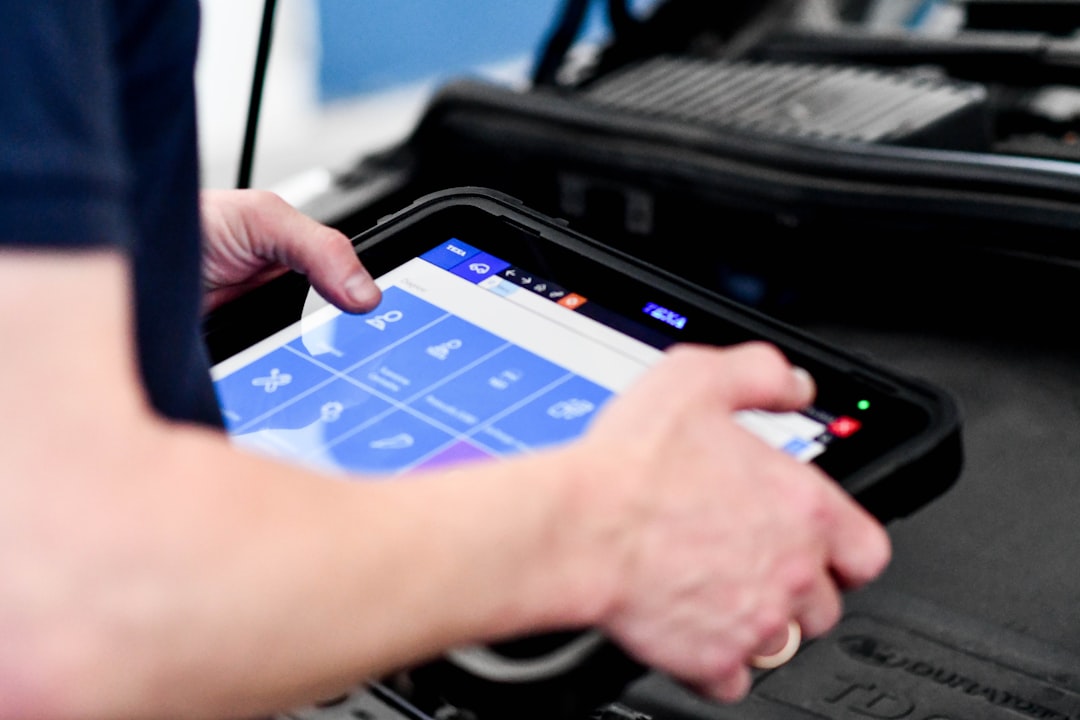
The best practice is to park in a safe place, turn off the engine and wait a few seconds before connecting the automotive scanner app. You should avoid using smartphones with low battery, as insufficient power interrupts Bluetooth communication. It is also important to position the adapter correctly in the diagnostic port, ensuring firm and lasting contact throughout the reading process.
Mistake 7: Not Interpreting Generic vs. Specific Codes
Your automotive scanner app can display two types of code: internationally standardized generics and manufacturer-specific ones. You make a mistake in treating these codes the same way, as each provides a different level of detail about the problem. Generic codes, such as P0401, indicate broad themes, while specific ones, such as those started with P1, P2 or P3, reveal precise manufacturer details.
Understanding this distinction helps you make more informed decisions about needed repairs. A generic emission code can have dozens of possible causes, while a manufacturer-specific code points to an exact component or system.You should refer to the brand-specific manual or use automotive scanner app features that provide detailed interpretations of each type of code, avoiding superficial diagnostics.
Error 8: Unloading the Adapter Inadvertently
You can damage the adapter of your automotive scanner app by leaving it connected without using for long periods, drains the internal battery of the device. A discharged adapter does not provide adequate power for communication with the vehicle, generating connection errors and unnecessary frustrations.
Many users leave the forgotten adapter in the diagnostic port, slowly consuming the power of the vehicle system and discharging the internal battery of the device. The best practice is to remove the adapter and store it in a safe place after each diagnosis. Periodically check the charging status of your adapter and keep it charged to ensure immediate availability when necessary to diagnose problems in your vehicle.
Error 9: Do not Document Failure History
You make a major mistake by not keeping track of fault codes and diagnosed issues over time. An automotive scanner app provides valuable history that helps you identify recurring patterns and problems. Ignoring this historical data makes it impossible for you to recognize when a failure reappears or worsens, impairing your understanding of the overall health of the vehicle.
Regularly documenting the readings, dates and actions taken creates an accurate record of the mechanical life of your car. You can identify components with intermittent failures, problems that gradually degrade or seasonal patterns of failures. Current best practices recommend keeping a digital or physical file with screenshots of important readings of the automotive scanner app, facilitating future analysis and communication with professional mechanics.
Mistake 10: Overconfidence Without Basic Knowledge
The biggest mistake you can make is believing that an automotive scanner app completely replaces basic mechanical knowledge.Trusting blindly to the results without understanding fundamental concepts of engine operation and electrical systems can lead you to disastrous decisions.An app is a powerful tool, but you must continuously educate yourself on how the components of your vehicle work.
You can use the automotive scanner app as a learning opportunity by researching each code and understanding what it means for your car. Combining technical information with application readings provides holistic view of the vehicle state.The recommendation is to join online communities, watch tutorials and even consult reputable mechanics to learn continuously, turning the use of the app into educational experience that improves your personal maintenance skills.
Current Trends in Automotive Scanner Apps
The automotive scanner app market has evolved significantly in recent years, with emerging technologies transforming how you diagnose vehicle problems. Artificial intelligence integration allows applications to learn from your usage patterns, offering predictive diagnostics that alert you to potential failures before they occur.
Current trends include increasingly intuitive interfaces, improved support for electric and hybrid vehicles, and cloud connectivity that synchronizes data across devices. You can now share diagnostics with professional mechanics through the cloud, facilitating communication and allowing them to prepare parts and tools before their arrival.OteApp and similar platforms represent this evolution, offering advanced features while maintaining simplicity of use for mechanical lay owners.
Best Practices for Maximum Efficiency
To get the most out of your automotive scanner app, you should establish regular routine checking, ideally every month or when warnings appear on the dashboard. Keeping the adapter in good condition, with charged battery and clean connections, ensures consistent and reliable readings.You should also learn to interpret data correctly, distinguishing between critical alerts that require immediate repair and minor warnings that can await scheduled maintenance.
The best practice is to combine app information with regular preventive maintenance, manual oil change, fluid check and visual inspection of components. You should never rely solely on digital readings; sensory experience such as strange sounds, smells or sensations in the direction complements diagnostics done through the scanner.Documenting all readings, keeping accurate records and consulting professionals when questions arise ensure that your vehicle runs safely and efficiently over the years.
Mastering the correct use of an automotive scanner app turns you into a more informed and empowered owner.You avoid unnecessary expenses, identify serious problems before they become catastrophic, and make maintenance decisions based on real data.The combination of technology, knowledge and best practices creates an ideal environment to keep your vehicle in perfect operational condition.



