
Diagnose your vehicle quickly and conveniently
Announcements
When you face a warning light on the dashboard, anxiety takes over. A mechanical scanner app is the practical solution that puts vehicle diagnostics in the palm of your hand, identifying problems before higher costs arise.
Announcements
Vehicle diagnostic technology has evolved significantly in recent years, transforming how car owners handle maintenance and fault identification.By using a scanner app to diagnose mechanical problems, you access information that was once unique to specialist workshops, saving you time and money in the process.
How a Mechanical Scanner App Works
A mechanical scanner app connects to the OBD-II port of your vehicle, that connector located under the steering panel. This connector allows the app to communicate directly with the car’s on-board computer, reading the stored error codes and interpreting them for you. Most of these apps work via a compact Bluetooth adapter that you connect to the port, turning your smartphone into a professional diagnostic tool.
The process is surprisingly simple: you install the app on your mobile phone, connect the OBD-II adapter, and in seconds the application begins to read the data of the vehicle’s electronic system.The errors are displayed in clear language, often with explanations about what each code means and what may be the cause of the problem. Some more advanced applications offer history of failures, allowing you to track recurring problems over time.
Advantages of Using an App Scanner for Your Car
The biggest advantage of a mechanical scanner app is immediate financial savings. By diagnosing problems yourself, you avoid unnecessary expenses with diagnostic consultations in workshops, which often charge between R $ 100 and R $ 300 just to read the error codes.In addition, you gain autonomy to really understand what is happening with your vehicle, rather than relying only on the opinion of third parties.
Practicality is another decisive factor in the use of these tools. You can make the diagnosis anywhere: in the garage at home, at work or even on the roadside if necessary. Many apps work offline after the initial installation, not requiring constant internet connection to read the codes of your car. This means immediate access to the diagnosis without relying on wi-fi network or mobile data.
Preventive properties are also part of the main benefits.A scanner app allows you to identify problems when they are still small, preventing them from developing into more serious and costly failures.You can regularly monitor the state of your vehicle, even without apparent symptoms, capturing electronic problems that could go unnoticed until causing significant damage.
Which App Scanner to Choose
There are dozens of apps available in app stores, from free to premium options with advanced features.The best choices combine intuitive interface, frequent error code database updates, and support for your specific vehicle model.Search for real user reviews to understand which app works best with your car before making any investment.
Compatibility is key when choosing your scanner. Not all apps work on all vehicles, especially if you have a very old or very new car. Make sure the app supports the year of your car’s manufacture and is compatible with the specific electronic systems it has. Newer cars often require more advanced apps to read all available systems.
The cost of the OBD-II adapter also varies greatly, starting around R$ 50 for basic models up to R$ 300 or more for premium adapters with additional features. You do not have to spend much: a basic adapter solves 95% of the common diagnostic needs. Take time to compare options before buying, as the quality of the Bluetooth connection directly affects the effectiveness of the diagnosis.
Practical Steps to Using an App Scanner
Start by locating your vehicle’s OBD-II port, usually found under the steering panel, near the steering wheel or next to the brake pedal. Consult the owner’s manual if you have difficulty finding it. With the car off, plug the OBD-II adapter firmly into the door, ensuring it snaps completely to ensure a stable connection.
Turn on the car engine without turning on the entire electronic system, leaving the key in the “accessories” position or in the second position if your car has button ignition. Open the app on your smartphone and look for the option to “connect” or “scan”, which will start the search for the adapter via Bluetooth. When the connection is established, the app will automatically start reading the error codes present in the vehicle system.
Write down all error codes displayed, as they may disappear from the screen if you do not register. Most apps allow you to take prints or export the data to share with a mechanic if necessary. Keep the car turned on during the reading process to ensure that all systems have enough time to report their states correctly.
Interpreting Error Codes
OBD-II error codes follow an international standard, always starting with the letter “P” followed by numbers. The first letter after “P” indicates the specific system of the affected vehicle, such as P0 for fuel system or P1 for transmission. Understanding this structure helps you quickly assess whether the problem is simple or requires immediate professional attention.
Some codes indicate critical faults that require immediate intervention, while others can be simple solutions like a dirty sensor or a loose electrical connection. More sophisticated apps describe each code in detail, explaining possible causes and recommended solutions. Use this information as a starting point to decide whether you can solve the problem yourself or whether you need to take the car to a mechanic.
Important: do not confuse an app scanner with a complete professional diagnosis. The scanner identifies errors that the onboard computer detects, but does not find pure mechanical failures that do not generate error codes, such as a worn brake or a belt close to breaking. Use the app as a complementary tool, never as a substitute for professional maintenance when necessary.
Preventive Maintenance With An App Scanner
Establish a weekly or monthly check routine using your scanner app, even if your car is running smoothly. This preventive practice helps identify electronic problems before they manifest into visible or audible faults.Many electronic faults progress slowly, and detecting them early can save hundreds of dollars in later repairs.
Keep a detailed record of all codes found, with dates and mileages.This history is extremely valuable for understanding patterns: if a code appears repeatedly, it indicates a persistent problem that deserves professional attention.If a code appears only once and does not return, it may have been a transient error caused by external factor, such as lack of momentary electrical contact.
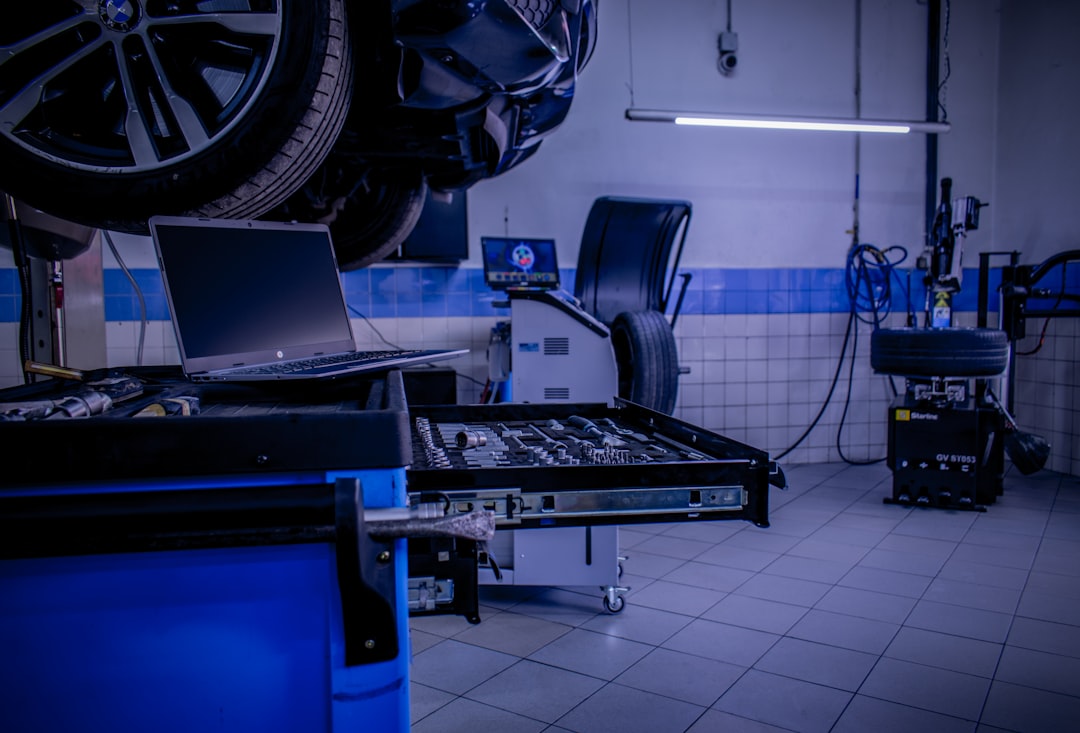
Share your app scanner data with the mechanic you trust for context during regular maintenance.Many professionals appreciate when the customer arrives with information already collected, as it saves time and allows the mechanic to focus efforts on real problems instead of making zero diagnosis. This collaboration improves the efficiency of service and can result in more accurate solutions.
Limitations and Important Care
An app scanner does not replace professional mechanical knowledge or visual diagnosis of the vehicle. Some problems only appear under specific driving conditions and are not easily reproduced in the garage with the car stopped. In addition, certain systems of the modern car, such as ABS brakes or airbags, have more complex diagnostics that require specialized equipment.
Beware of apps that promise “magic” fixes or solutions to permanently delete error codes. Clearing codes without addressing the underlying cause means the issue will return quickly and can mask important flaws.Some less reliable apps charge hidden fees or display excessive advertising that detracts from the user experience.
Regularly checking your app for updates is essential as new error codes are constantly added by vehicle manufacturers. An outdated app may fail to identify newer codes or offer inaccurate interpretations. Keep your OBD-II adapter in good condition, protecting it from excessive heat and moisture that can damage your internal electronics.
App Scanner in Practice: Real Scenarios
Imagine that your check engine light turned on while you were driving, causing immediate concern. With an app scanner on your phone, you stop in a safe place, plug the adapter and find that the code refers to a faulty oxygen sensor. This information allows you to get to the workshop already knowing exactly what to repair, avoiding unnecessary diagnostics and being able to request more accurate budget before work starts.
Another practical scenario: you just bought a used car and want to understand your technical history before making any maintenance investment. A quick scan reveals if there are outstanding problems that the seller did not mention, informing your negotiation or purchase decision. This type of prior check protects your investment and avoids expensive surprises weeks after the purchase.
A third example: your car is running well, but you have noticed above-normal fuel consumption. An app scan may reveal that the MAF sensor is dirty or that there are multiple minor faults affecting engine efficiency. With this information, you can do simple cleanups or adjustments before the problem causes further damage and even greater fuel waste.
Emerging Technology in Vehicle Diagnosis
Vehicle diagnostic technology continues to evolve, with new apps incorporating artificial intelligence to predict crashes before error codes appear. Some advanced apps connect to your car constantly, monitoring systems in real time and proactively alerting you to impending issues.
Integration with workshop services is also becoming more common, allowing you to send data from your scanner directly to a mechanic who can remotely review before you go to the store. This digital workflow improves communication and allows the professional to better prepare for your visit, saving time for both parties involved.
Frequently Asked Questions About Mechanical Scanners App
Question: Does the scanner app damage my car? Answer: No. An app scanner only reads information, does not send commands that change the operation of the vehicle, making it completely safe to use continuously. The OBD-II adapter is a standardized technology since 1996 and millions of users routinely use it without any risk.
Question: What is the difference between an app scanner and a diagnostic tool in a workshop? Answer: Apps scanners read basic codes with excellent cost-effectiveness. Professional tools in workshops access deeper systems, do specific tests and have veteran analyzes. An app is complementary, not a substitute, for complex diagnostics that require specialized equipment.
Question: My car is very old, does it work with app scanner? Answer: Cars manufactured before 1996 do not have standard OBD-II port, so they are not compatible with common scanners apps. Vehicles between 1996 and 2010 work well with basic scanners, while modern cars require more advanced apps to access all available systems.
Question: Is it possible to use app scanner on imported cars? Answer: Yes, OBD-II port is international standard, working on any modern vehicle regardless of origin.Some specific brands may have proprietary additional codes, but most applications can correctly interpret diagnosing problems on imported cars normally.
Question: Does the scanner app consume a lot of battery from my phone? Answer: The consumption is minimal, similar to that of any other app in active use. The OBD-II adapter has its own battery or recharges via USB, not draining the battery from your phone significantly. You can leave the adapter connected indefinitely without worries.
Question: Can I use the same app on multiple cars? Answer: Yes, most apps work on any modern vehicle with OBD-II port. If you own multiple cars, a single app can read all of them, just connect the same adapter to each different OBD-II port as needed for diagnosis.
Question: How do you know if an error code is serious or can be ignored? Answer: Codes P0 and P1 usually indicate moderate problems that can be delayed. Codes P2 and P3 often involve specific systems and vary in severity according to the exact code. If you have questions, share the code with a mechanic before ignoring it, as some seemingly mild failures evolve into expensive problems quickly.



