
Automotive Scanner App: Quick Diagnostics
Announcements
An automotive scanner app is the tool you need to diagnose problems in your car quickly and accurately. With direct access to vehicle fault codes, you can identify from minor alerts to serious breakdowns before they become costly.
Announcements
Automotive diagnostic technology has evolved significantly in recent years, moving from exclusive workshop equipment to apps accessible on your smartphone. Today you have the power to monitor the health of your vehicle in real time, saving time and money on unnecessary repairs or misdiagnosis.
What is an Automotive App Scanner and How It Works
An automotive scanner app connects to the electronic control module of your car via a Bluetooth or WiFi adapter.This device, usually small and accessible, communicates with the on-board computer of the vehicle, reading the data stored in the system memory. The app receives this information and translates it into language understandable to you, showing exactly what is happening with your car.
The operation is simple and intuitive. You insert the adapter (known as OBD-II scanner) into the diagnostic port located usually under the driver’s panel.In seconds, the application synchronizes with the vehicle and begins to read the parameters in real time. Data such as engine rotation, radiator temperature, fuel consumption and battery voltage appear on the screen of your smartphone in seconds. When there is a failure, the app captures the specific error code and provides a detailed description of the problem, allowing you to make informed decisions about preventive maintenance.
Top Mistakes You Make When Using Automotive App Scanner
A common mistake is to ignore pending fault codes simply because the engine keeps running normally. You might think that if the car is running well, there is no need to investigate, but this is a risky decision. Modern systems detect problems long before they cause visible damage, and ignoring these initial alerts often results in more serious and expensive breakdowns in the future. A catalyst-related fault code, for example, can evolve into complete emissions system failure if not addressed quickly.
Another frequent mistake is to confuse the reading of a code with the complete diagnosis of the problem. Many users assume that a P0101 code (air flow error) definitely means that the air sensor is broken. In reality, this code may indicate problems in the air intake, leakage in the collector, dirty sensor or even malfunction of the onboard computer. You need to do additional tests to confirm what is really the cause, rather than running to the workshop with only the reading of the scanner.
A third error involves not cleaning fault codes properly after solving the problem. After repairing a sensor or replacing a part, you erase the history codes, but when the car is turned on again and the fault reappears, you get confused. This happens because you have not fully tested whether the repair was effective. Always run the car for a few kilometers after a fix before considering the problem solved, allowing the self-diagnostic system to make its full checks.
How to Avoid Common Traps in Data Interpretation
To avoid misinterpretation of the data your app scanner provides, you should understand that not every fault code means an immediate breakdown. There are intermittent codes that appear only under specific conditions, such as temperature changes or sudden acceleration. If you see a code that has disappeared after some tests, it is likely to be an intermittent failure related to specific engine operating conditions. Record these occurrences and take the history to an expert instead of acting hastily.
You also make an error when you ignore the app scanner’s frozen crash history. Many users focus only on active code, but historical data is equally valuable. If you see code that activates and deactivates regularly, this may indicate an intermittent electrical problem or a sensor that is starting to fail. The failure pattern is more informative than the isolated fault, so track these trends over time using the history functions your app offers.
Another significant mistake involves not calibrating or checking the settings of your scanner adapter.Some devices need to be reconfigured when you change vehicles, as different brands use different communication protocols.If you do not adjust these settings correctly, you may receive inaccurate readings or false faults.Please take a few minutes to ensure that your adapter is configured to the correct protocol of your car, usually found in the vehicle user manual or in the app settings.
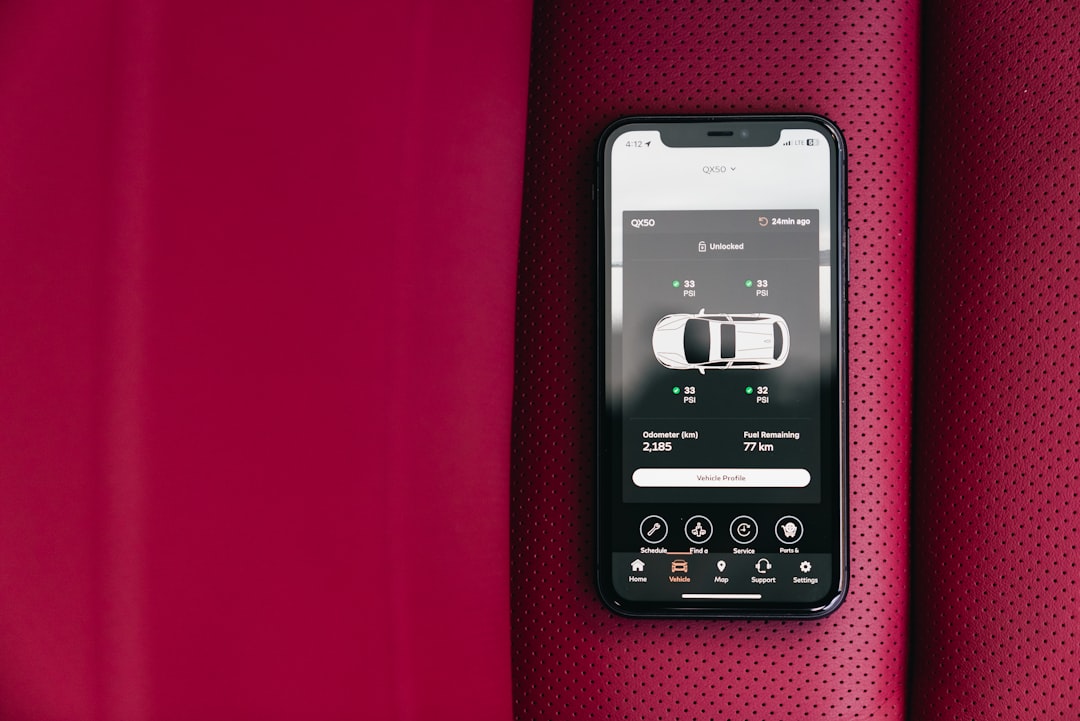
Differences Between Adapters and Varied Quality Applications
Not all automotive scanner apps are created equal, and you need to be judicious in choosing. Free apps often offer basic readings, but lack advanced features like real-time graphics, trend analysis, or custom alerts. You can download an app for free and find that it does not support specific codes from your vehicle, making it virtually useless for more complex diagnostics. Invest in a premium version or recognized quality if you plan to make regular diagnostics.
The quality of the physical adapter also makes a crucial difference. Very cheap adapters can have fragile connections, offer inconsistent readings or even damage your car’s OBD-II port. You avoid problems by choosing established brands with good user ratings and manufacturer warranty. A superior quality adapter will cost more but will offer accurate readings, frequent code database updates and reliable technical support when questions arise.
You also make a mistake by not checking that the app you have chosen is compatible with your specific vehicle. Some apps only work with newer cars that use modern protocols, while others have been optimized for older vehicles. Before investing in a premium adapter or subscription, confirm compatibility with your car make and model through the actual reviews of other users in the app stores.
Best Practices for Maximum App Scanner Profit
A key practice is to perform regular checks with your scanner app, even when the car is running normally. Read at least once a month to detect emerging problems before they become critical.You will create a mental database about the normal behavior of your vehicle, making it easier to identify future anomalies. If your fuel consumption values begin to gradually worsen, for example, you will know how to investigate before the problem causes damage to the engine.
Document all important readings in a notebook or digital file, especially fault codes, dates and operating conditions.This detailed log is invaluable when taking your car to a workshop, as it provides the mechanic with a clear history of problems.You can also identify patterns that indicate progressive degradation of components, allowing preventive maintenance planning. Some apps have native history function that you can export in PDF, facilitating this documentation.
Combine the scanner app readings with periodic visual and physical inspections.You should not rely solely on the application data. If the scanner indicates abnormally high radiator temperature, personally check the coolant level, look for visible leaks and inspect the hoses. This combined approach provides a much more complete view of the health of your vehicle than any single tool can offer.
Learn to differentiate between critical issues that require immediate repair and minor issues that can be monitored. An oxygen deficient sensor can be monitored for a few weeks while you plan maintenance, but a problem in the braking system always requires immediate attention.Your application often rates the severity of failures, so study these ratings and understand what the actual urgency level of each code is.
Practical Conclusions About App Scanner and Vehicle Diagnostics
The automotive scanner app is a powerful tool that puts the diagnosis of your vehicle partially in your hands, allowing more informed decisions about maintenance. However, you should avoid the common mistakes of hasty interpretation, ignorance of intermittent codes and excessive reliance on the app data without additional confirmation. By recognizing the limitations of this technology and using it as a complement to professional knowledge, you maximize the benefits of rapid and accurate diagnosis that it offers.
The key to success lies in being methodical and cautious when interpreting the data your app provides. You should not assume that a fault code means a specific breakdown without further investigation.Invest in quality tools, keep detailed records, make regular checks, and always combine scanner readings with visual inspection and additional technical knowledge. In this way, you turn your smartphone into a truly effective diagnostic station, saving time, money, and frustration with unresolved issues or incorrect diagnoses that would result in unnecessary and expensive repairs in your workshop.



