
How to make the most of your mobile phone volume
Announcements
Increasing the volume of the phone may seem simple, but many users are still unaware of the real tricks to take advantage of the full audio potential of their devices. You have probably adjusted the volume quickly, but there are much more effective methods that go beyond the side buttons.
Announcements
In this article, we’ll explore the myths and truths about how to power your phone’s sound, showing you which techniques actually work and which can damage your device.You’ll find that maximizing volume involves much more than just increasing the slider bar on the screen.
The Myth of Maximum Volume Equal to Best Sound
Many people believe that leaving the volume at maximum always results in better audio quality and greater sound potential. In fact, this is a dangerous myth that can damage not only your cell phone speakers, but also your ears. When you force the volume to the extreme, the device compresses the audio signal, creating distortion that impairs the quality of sound.
The truth is that there is an ideal volume point where you get the best audio quality without distortion. This point varies according to the application you are using, the type of content you are playing and even the environmental conditions. You can find out this sweet spot by adjusting the volume gradually until you find the perfect balance between quantity and sound quality.
Understanding the Different Types of Volume on Your Mobile Phone
Your phone has several independent volume channels, and many users are unaware that they can be controlled separately.The media volume, notification volume, call volume, and alarm clock volume work in different ways.
On Android, you access these controls by going to Settings, then Sound and Vibration, where you find options for each type of volume. On iPhone, you can use the Volume Limits option in Music and find different settings for each context of use. Understanding this separation allows you to optimize your phone for each specific situation of your day.
The volume of media is usually the most important if you like to listen to music, podcasts or watch videos. This is the volume controlled by the side physical buttons of your mobile when a media application is open. Strategically maximizing this volume without damaging your device requires technical knowledge that you will learn here.
Cleaning Speakers: The Key Often Ignored
One of the biggest myths is to believe that you just need to turn up the volume to hear better. The reality is that dirty speakers can significantly reduce the power of your phone’s sound, even if the volume is at its maximum. Dust, dirt and debris accumulate in the speaker openings over time, blocking the sound.
You should regularly clean your mobile phone speakers to maintain audio quality.Use a soft brush or dry cloth to gently wipe the speaker openings on the bottom and side of your device. Never use water or liquids as this can damage the internal components and cause short circuit.
This simple cleaning can recover up to 30% of the sound power you were losing without even realizing it. Many users, upon noticing that the sound has become weaker, simply increase the volume to the maximum, when in fact the problem was just dirt preventing the sound from leaving. Doing this cleaning regularly, you avoid this problem and keep your phone running at its best.
Enabling Hidden Audio Features in the System
Your phone has advanced audio features that significantly increase the volume without damaging the device. On Android, there are settings like Dolby Atmos that, when activated, amplify the sound intelligently. You find this in Settings, then Sound, and look for audio quality options or sound effects.
The myth here is that activating these features damages the phone or consumes a lot of battery. In fact, these features have been developed specifically to optimize audio without harming the hardware. The iPhone has similar features in Settings, Sounds and Haptic, and also in the Accessibility section where you can activate options such as Sound Amplification.
You can also adjust specific equalizers for different types of content. If you’re listening to music, turn on an equalizer that reinforces the lows and highs. If you’re watching movies, choose a profile that improves dialogs. These adjustments can make your phone sound up to 40% higher while keeping the audio quality intact.
The Role of Headphones and Sound Boxes
A common myth is to believe that the volume of your mobile phone is completely independent of the audio accessory you use. In reality, the external device has a huge impact on the perception of volume and sound quality.Low quality headphones can make even a powerful speaker sound weak and distorted.
If you use headphones with high impedance, you may need to turn your phone volume up more to get the same sound level. Low impedance headphones work best with moderate volume. You can see this information usually printed on the headphones or the packaging box, usually in ohms ().
Bluetooth speakers also greatly influence the final volume. A quality speaker can amplify the sound of your phone without any distortion even at high volumes.But cheap speakers can sound worse as you turn up the volume, creating the illusion that your phone can’t get louder.
System Modifications to Increase Volume
Some versions of Android allow modifications to the audio configuration file to increase the maximum volume without damaging the device. You can access these files through applications such as File Manager, navigating to the System folder, then etc., and looking for “audio_policy.conf”. This is an advanced modification that requires caution, as incorrect changes can harm the audio system.
The truth is that these modifications only work on certain mobile models and versions of Android. It is not a universal solution, and you may end up harming your device if you do not know exactly what you are doing. Most users can increase the volume sufficiently using the methods we described earlier without having to mess with system files.
For iPhones, audio customization is more limited, but you can use the Live Wizard to amplify specific sounds.This feature is designed for people with hearing problems, but it works great for anyone who wants to strategically turn up the volume.
Using Specialized Amplification Applications
There are specific apps available in the app stores that turn up your phone volume more efficiently than the standard controls. These apps work by applying digital audio processing that amplifies the signal before it is sent to the speakers. You can find many options by looking for “volume booster” in the Google Play Store or App Store.
The myth is that all of these apps work equally well and that they can turn up the volume indefinitely. In reality, quality apps intelligently amplify sound, protecting your speakers from distortion.In addition, there is a physical limit to how much audio can be amplified before damaging your phone’s hardware.
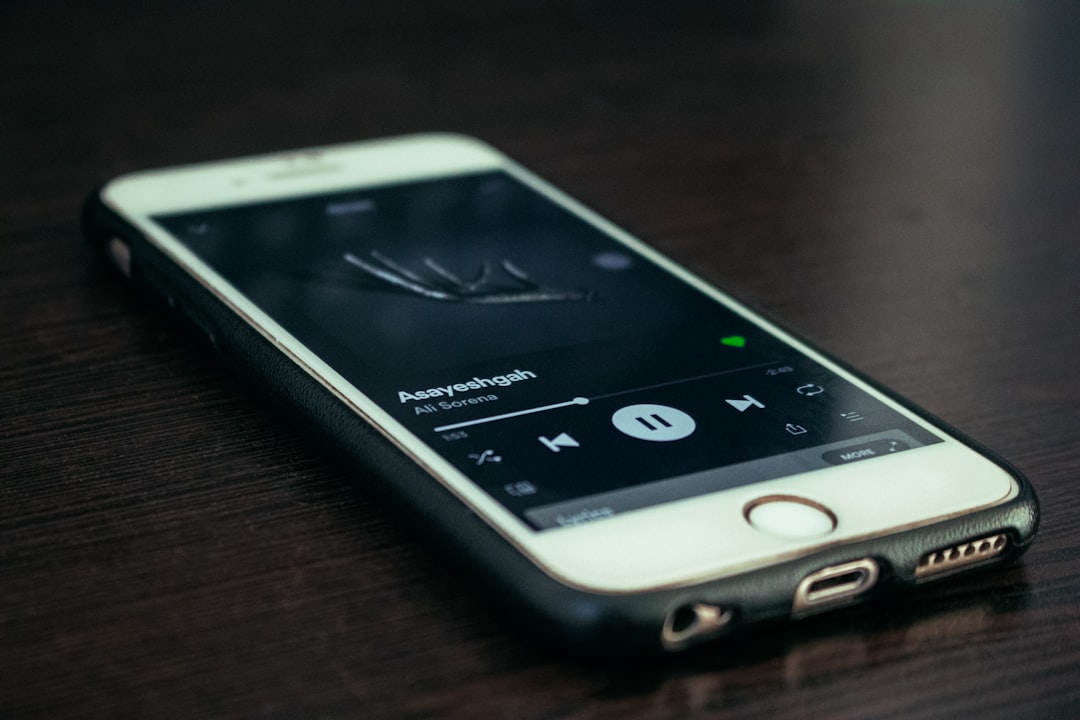
You should be careful when choosing these apps, as many charge subscription fee or contain intrusive advertisements. Ideally, choose a well-rated app with millions of downloads, as this indicates that it really works. Use the chosen app for a few days to assess whether the volume increase is satisfactory before investing in a paid version.
The Importance of Volume Limit Setting
You might think that leaving the volume at the most all the time is the best way to enjoy your phone, but this is harmful to both your device and your hearing. Establishing volume limits is a best practice that protects your ears from permanent damage. On iPhone, you can enable “Volume Limits for Music” in Settings, Sound, Maximum Volume for Phones.
This limit creates a maximum volume ceiling that you can not exceed, even if you try to increase more. This prevents you from damaging your ears in moments of distraction, when you can turn up the volume without realizing it. You can set this limit at a comfortable level during the day and adjust it as needed.
The truth is that maintaining moderate volumes most of the time makes your phone last longer and preserves your hearing.Your handset is designed to work at moderate volumes for extended periods, not at maximum volume all the time.You will notice that the battery also lasts longer when it keeps the volume at reasonable levels, as the speakers consume less power.
Understanding the Difference Between Volume and Audio Quality
Many users confuse volume with audio quality, believing that a louder sound is necessarily better. This is one of the biggest confusions about increasing the volume of the phone, and you need to understand the difference.Volume is simply the intensity of the sound, while audio quality refers to clarity, balance between frequencies and the absence of distortion.
You may have a very loud but poor sound quality, or a moderate but crystal clear sound.The best scenario is to find the proper volume where the audio quality is optimized. This usually occurs around 70% to 85% of the maximum volume, depending on your mobile phone and the type of content.
To evaluate audio quality, pay attention to details such as whether you can hear all frequencies (low, medium and high) clearly, whether there is no distortion or wheezing, and whether the sound sounds natural. When you turn the volume too high, the quality often worsens because the internal amplifier of the cell phone can not process such a strong signal without distortion.
Common Problems and How to Solve them
Sometimes you turn up the volume but notice that it is coming out low or distorted sound. This can occur for various reasons, such as applications with independent volume, audio driver problems, or even damaged hardware. You must first check if the volume is actually increased at all levels: operating system, specific application, and if the speaker is not obstructed.
If you notice that the sound is distorted when the volume increases, this usually indicates that you are exceeding the healthy amplification limit of your device. In this case, you should reduce the volume to a more comfortable level and look for equalizers that reinforce specific frequencies instead of simply increasing the amplitude. Using an equalizer allows you to get a more powerful sound without damaging the hardware.
Another common problem is when one side of the speaker sounds louder than the other, or when the audio comes out only on one side. This may indicate a damaged or clogged speaker.You should try to clean both speakers again, making sure to remove all the dust. If the problem persists, you may need to refer your phone for professional repair.
Maintaining Hearing Health While Increasing Volume
A crucial aspect that many users overlook is the impact on hearing health when using loud volumes constantly.The World Health Organization recommends not to exceed 85 decibels of continuous sound, and many cell phones can easily overcome this.
The 60/60 rule is a good guideline: never exceed 60% of the maximum volume and do not use headphones for more than 60 minutes in a row without pause. You can activate reminders on your mobile phone to take regular breaks, protecting your hearing in the long run. Even if your mobile phone can play sound at harmful volumes, this does not mean that you should use this ability.
If you notice ringing in your ears, difficulty understanding conversations, or feel discomfort after using your cell phone at high volumes, you should immediately reduce the volume and consult a hearing care professional.These signs indicate potential damage to your ears, and the sooner you act, the better for your future hearing health.
Comparison Between Different Brands of Cell Phones
Volume capacity varies significantly between different makes and models of mobile phones. Premium handsets like iPhone and Samsung Galaxy usually have more powerful speakers and better audio processing than input models.You should consider this difference when choosing a new mobile phone if volume is important to you.
Brands like Samsung, Google Pixel and OnePlus tend to offer higher volumes on their newer handsets, often exceeding 90 decibels in maximum volume.Iphones traditionally have slightly more modest volumes, but compensate with superior audio quality.You can find detailed reviews online comparing the volume of different models if you are considering buying a new phone.
The truth is that you can increase the volume of almost any mobile phone to acceptable levels using the methods we described in this article. Even older devices or less well-known brands can achieve adequate volumes with the correct cleaning of speakers, activation of audio features and use of specialized applications.
Practical Tips for Your Day to Day
To apply everything you’ve learned about increasing your phone’s volume, start by doing a thorough cleaning of the speakers today. You’ll see an immediate improvement in volume without even having to adjust anything in the software. Then navigate to your phone’s sound settings and turn on any available audio feature like Dolby Atmos or equalizers.
You should also test different volume levels during the day to find your sweet spot. You will notice that around 75% of the volume, the audio quality is usually better than at absolute maximum. Write down this level and keep it as your standard, increasing only when really needed in very noisy environments.
If you use headphones regularly, invest in a good model that has low impedance and good build quality. This combination will make your phone sound much louder and clearer without having to turn up the volume beyond safe levels.You can also consider using a good quality Bluetooth speaker at home to get larger volumes safely.



