
Discover a practical way to measure without tape measure
Announcements
Measuring objects without having a measuring tape on hand is easier than you might think.With your smartphone, you can perform accurate measurements in seconds using only the camera and specialized applications.
Announcements
Augmented reality technology has transformed the way we perform practical tasks on a daily basis.You no longer need to carry traditional tools or spend time looking for a measuring instrument when you have such a powerful device in your pocket.
How Cellular Measurement Works
Measurement apps for smartphones use the device camera and internal sensors to calculate distances accurately. The system works by recognizing landmarks in the image and using artificial intelligence algorithms to determine the actual size of objects.When you point the camera at an object, the app creates a three-dimensional virtual space that allows for accurate comparisons.
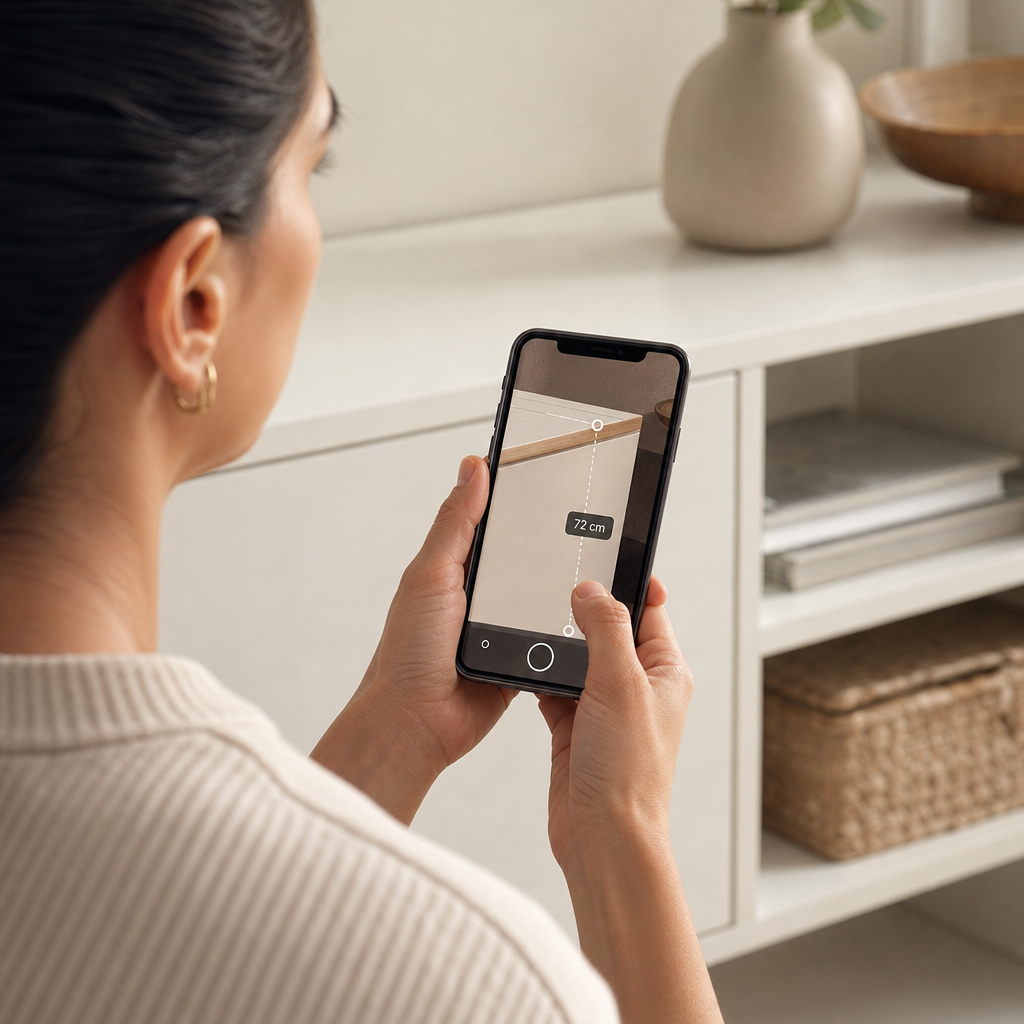
Augmented reality technology is the engine behind these measurements.Your mobile maps the surrounding environment, detects flat surfaces and calculates the position of objects relative to the camera.This allows you to have reliable measurements without physically touching the object or using any external equipment.The process takes only a few seconds and you get the result instantly on the screen.
Most Reliable Apps to Measure
There are several options available in the app stores that offer robust measurement functionality. The native iPhone app called “Measures” is an excellent choice if you have an Apple device, as it comes pre-installed and offers impressive accuracy.For Android users, the “Google Measure” is equally efficient and free, working on almost any modern smartphone.
In addition to these main options, you will find specialized applications such as “AR Measure” and “Laser Meter” that offer additional features. These apps allow you to save measurement history, export data in different formats and even share results with others. The choice depends on your operating system and the specific features you need for your daily measurements.
Common Mistakes Affecting Accuracy
One of the most frequent errors is measuring on inclined or irregular surfaces, which compromises the final result. Many people try to measure objects on uneven floors or walls with texture, hoping to get accurate reading. Always look for flat and stable surfaces as the basis for your measurements, as this ensures that the application algorithm works correctly and without distortions.
Another common problem is not maintaining the proper distance between the mobile phone and the object you want to measure. If you get too close, the camera can not capture the actual size of the item, resulting in incorrect measurements. Ideally, it is ideal to keep a distance of approximately 30 centimeters to a meter, depending on the size of the object.In addition, make sure that the camera is clean and without marks or dust, as this affects the quality of image capture.
Improper lighting is another mistake that you should avoid completely. Measuring in very dark or shadowy environments makes the application can not recognize the edges of the object clearly. Always measure in a well-lit place, preferably with natural daylight. If necessary, use your phone’s flashlight to better illuminate the area, but avoid creating shadows that distort the shape of the object.
Many users also make the mistake of not calibrating the application properly before using. Some apps require a reference measurement to ensure accuracy.For example, you can use a coin or an object of known size to calibrate the system.If you skip this step, subsequent measurements may show significant variations and inaccuracy.
How to Calibrate Your Device Properly
Calibration is essential to ensure that your phone measures accurately. In Google Measure, you should point the camera at a flat surface and let the application map the environment for a few seconds before starting the measurement. This process allows the system to understand the depth and perspective of the space where you are working. Do not skip this step, as it is critical to the quality of the results.
Some applications allow manual calibration using a reference object that you know the exact size. You place this object in front of the camera and tell the app what your actual measurement is. After that, all measurements will be proportional and much more accurate. A coin of a real, for example, is 27 millimeters in diameter and works perfectly for this initial calibration.
Practical Use Cases Where You Save Time
When renovating a room in the house, you need to measure doors, windows, walls and furniture before buying new items. With a mobile phone, you make all these measurements in minutes without worrying about losing the tape measure or spending time looking for the right tool. You photograph each space and get the exact dimensions, and can even share the data with the designer or seller in the store.
When buying furniture for your home, you can measure the available spaces using only the mobile phone. This prevents you from buying a sofa that does not pass through the door or a bookcase that is wider than the wall. You save money by making informed decisions about the size of the furniture before making the purchase, reducing returns and hassles.
For professionals working with delivery and logistics, measuring boxes and packages quickly is essential. The mobile phone allows you to make these measurements on site, record the data and already inform the customer the cost of shipping. You do not depend on specific equipment and can serve more customers in the same period of time.
There is also practical application in the real estate market, where agents need to inform real estate dimensions to potential customers. With the mobile phone, you get the measurements of rooms, windows and outdoor spaces quickly, creating more accurate and reliable datasheets of the properties you are advertising.
Golden Tips to Improve Your Results
Always start by wiping your phone’s camera with a soft cloth before any important measurement.Dust and fingerprints impair image capture and directly affect the accuracy of calculations.A clean camera makes all the difference between a reliable measurement and a distorted reading that you can’t use.
Consider using reference points in the environment to increase the accuracy of measurements. If you are measuring the height of a wall, place a known-sized object near the area that will be measured. This helps the application to better calibrate the depth and provides more accurate values at the end of the measurement process.
Make multiple measurements of the same object and compare the results to validate accuracy. If all readings are close, you can rely on the data obtained.If there are significant variations, review the camera placement, ambient lighting, and application calibration before trying again.
Take advantage of the saving features of the applications to keep a history of all your measurements.You can create folders by project, add notes and even attach photos of the measured areas. This documentation is very useful if you need to go back to the data after a few days or share them with others involved in the project.
Important Limitations You Need to Know
No mobile measurement will be as accurate as a traditional tape measure or a professional laser, especially for jobs that require millimeter accuracy. If you are working on a project where one centimeter errors make a difference, consider using traditional tools as a backup. Smartphone apps are excellent for fast approaches and measurements, but have limitations in absolute accuracy.
The technology also faces difficulties when measuring objects with reflective or transparent surfaces, such as glass or mirror.In addition, very small or very large objects can present inaccurate results, depending on the capacity of the camera and the algorithm of the application. You should be aware of these limitations and know when to use the smartphone and when to resort to more accurate tools.
Performance varies widely between different phone models, especially between old and new devices. Smartphones with more advanced cameras and more powerful processors tend to offer more accurate measurements.If you own an older phone, try several apps to find which one offers the best results on your specific device.



