
Automotive Scanner App: Practical Step by Step Guide
Announcements
An automotive scanner app has transformed the way owners and mechanics diagnose vehicle problems.This tool connects your smartphone directly to the car’s on-board computer, allowing you to identify faults accurately and quickly.
Announcements
If you are looking to understand how these apps work and how to use them effectively, this handy guide gives you everything you need to know.We will explore from the basics to current best practices to make the most of the vehicle diagnostic technology in your hand.
What Is an Automotive Scanner App and How It Works
An automotive scanner app is software installed on your smartphone that connects to your vehicle’s diagnostic system through an adapter device. This adapter, usually small and portable, fits into the OBD-II (On-Board Diagnostics) port located under your car’s dashboard, near the pedals. Communication between the app and the vehicle happens via Bluetooth or WiFi, allowing you to access real-time information about engine operation and other systems.
The operation is based on reading error codes stored by the electronic central of the vehicle. When something goes out of normal operation, the on-board computer registers a fault code (DTC – Diagnostic Trouble Code) that will be displayed on your smartphone. This system works on virtually all vehicles manufactured from 1996, making it a universal solution for automotive diagnosis. The app interprets these codes and offers clear explanations about which system is experiencing problems, saving time and money on unnecessary trips to the workshop.
Top Features You Find In The Best Apps
Quality automotive scanner apps offer varied features that go beyond just reading error codes.Reading data in real time allows you to monitor parameters such as engine temperature, revolutions per minute (RPM), fuel consumption and battery voltage while the car is moving. This continuous monitoring helps you identify problems before they become serious and costly.
Another essential feature is the fault code history, which records all the problems detected by the vehicle. This functionality proves valuable for professional mechanics and owners who want to track the car’s maintenance history.Many modern apps also include the ability to erase error codes, although this should be done only after solving the real problem that caused the failure.Additional features such as performance charts, custom alerts and parameter comparison with manufacturer standards turn these apps into truly professional tools.
Practical Step by Step To Use Your App Scanner
The first step is to purchase an OBD-II adapter compatible with your smartphone. There are Bluetooth and WiFi models available in the market, and Bluetooth models are more popular due to cost-effectiveness and broad compatibility. After choosing and receiving the device, install the app recommended by the adapter manufacturer in the Google Play Store or Apple App Store. Make sure that your phone has a version of the operating system compatible with the chosen application.
With the adapter in hand and the app installed, locate the OBD-II port of your vehicle, usually positioned underneath the instrument panel on the left side. Disconnect any previous adapter if necessary and insert the new device completely into the port until you feel a slight fit. Turn the car into accessory mode (before it starts full) so that the electronic system is activated. At this time, you should start Bluetooth pairing between your smartphone and the adapter following the manufacturer-specific instructions, which usually involve activating the Bluetooth of the phone and selecting the device from the list of available devices.
Once the pairing is successfully completed, open the app and look for the option to connect to the vehicle. You will see the connection status change to “Connected” in the application interface. Now you can start a scan (scan) that will fetch all the error codes stored in the car memory. This process usually takes between 5 and 30 seconds depending on the amount of failures. After completion, the app will display a list of all the detected problems, providing detailed descriptions of each code and possible solutions.
Current Trends in Automotive Scanner Apps
Vehicle diagnostic technology has evolved significantly in recent years, following the development of the most modern cars. Current apps integrate artificial intelligence to provide more accurate diagnostics and personalized recommendations based on the history of use of your vehicle. Some applications connect to the internet to constantly update their error code databases, ensuring compatibility with new car models and more complex electronic systems that continuously arise in the market.
Integration with preventive maintenance platforms represents another important trend.Many modern apps now synchronize data with partner workshops, allowing you to receive personalized maintenance recommendations based on the actual usage profile of your car.Some advanced apps even allow you to share diagnostic reports instantly with mechanics you trust, making it easier to communicate and remote service.Data security has also gained prominence, with the best apps implementing end-to-end encryption to protect sensitive information from your vehicle.
Best Practices to Use Automotive Scanner Efficiently
The first best practice is to perform periodic scans on your vehicle even without suspicion of problems. Performing a diagnosis every two months allows you to identify incipient faults before they evolve into more serious and expensive problems. This preventive approach saves significantly in the long term and increases vehicle safety. Keep a written or digital record of the scans performed to keep track of trends and changes in the behavior of your car over time.
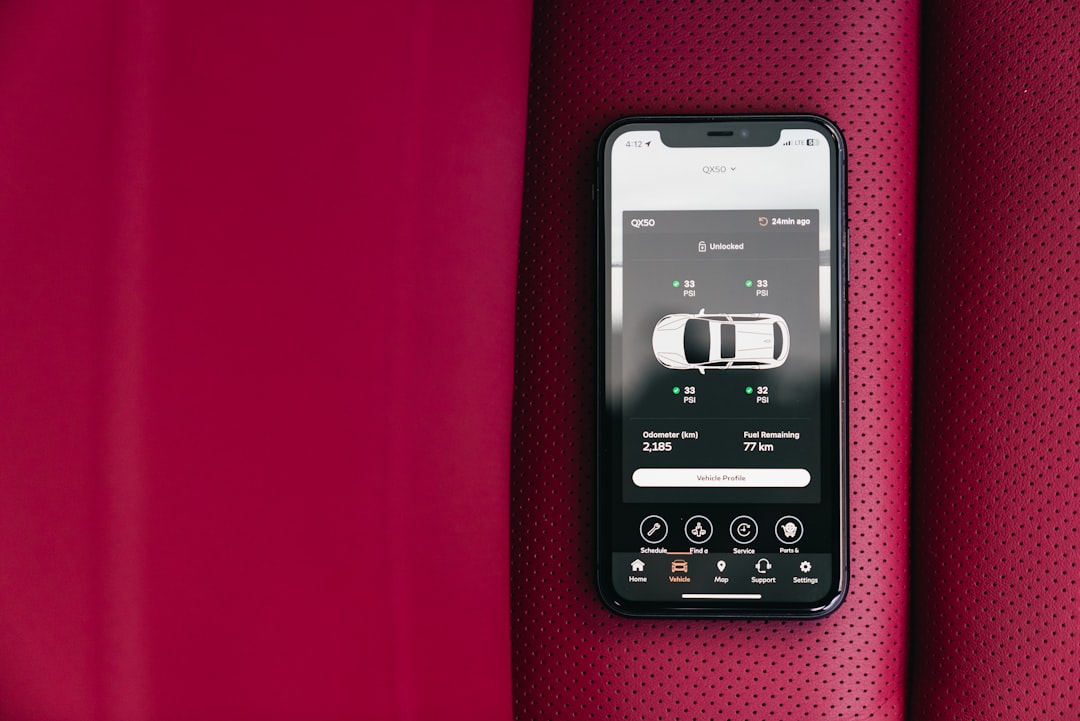
When you find error codes, do not rush to delete them. First, search in detail the meaning of each code using the app database or supplementing with reliable information. Some codes indicate simple problems that you can solve yourself, such as a poorly coupled fuel cap. Others require professional intervention from a certified mechanic. Documenting the codes found and the actions taken creates a valuable history that proves the proper maintenance of the vehicle, valuable if you want to sell the car later.
Use the real-time data provided by the app to better understand the behavior of your vehicle in different situations. Monitor how engine temperature varies on hot versus cold days, how fuel consumption changes with different driving styles and what are the normal battery voltage levels. This in-depth knowledge turns you into a more aware owner and allows you to quickly identify anomalies when they arise. Never ignore critical warnings such as problems in the braking system or airbag, immediately triggering the slow start of the car to a professional workshop.
Differences Between Free and Paid Apps
The free automotive scanner apps offer basic functionality that caters to occasional owners. They allow reading error codes, displaying data in real time and access to a standard database of fault interpretation. The main drawback is the presence of ads that can interrupt your diagnosis, as well as limitations on the amount of scans you can perform monthly or on the speed of updating the database. Some free apps also have less intuitive interface and advanced features blocked behind paywalls.
Paid apps make up for the initial investment by offering professional features without limitations of use. You access dedicated technical support, frequent database updates ensuring compatibility with new models, optimized interface and no advertising. Premium apps often include features such as testing specific components, reading stratified data, expanded fault history and integration with cloud diagnostic platforms.For owners who use the scanner regularly or for professional mechanics, the investment in a paid app is quickly offset by superior diagnostic efficiency and capability.
A practical approach is to start with a free app to try out the technology and assess whether it meets your needs. After familiarizing yourself with the concept and feeling the need for more advanced features, you are prepared to make an informed choice about a paid app. This strategy reduces risks and allows a more assertive decision based on real experience with the tool.
How to Interpret Error Codes Correctly
Automotive error codes follow an international standard called OBD-II, structured in five digits and letters. The first character indicates the problem category (P for Powertrain, B for Body, C for Chassis, U for Network), making it easy to quickly identify which car system is affected. The subsequent digits specify exactly which component or function fails. Understanding this structure helps you prioritize fixes and determine whether the problem is critical or can be delayed until the next scheduled maintenance.
A code like “P0300” refers to random ignition failures (misfire) in the engine, while “P0128” indicates that the cooling system thermostat is operating improperly. These diagnostics provide valuable clues about the root cause of problems. A quality automotive scanner app not only displays the codes, but offers detailed explanations, possible causes and suggested solutions.Some advanced applications even cross multiple codes to identify a single problem causing multiple failures, saving diagnostic time compared to traditional methods.
When finding a code, consider the severity indicated by the app and the current behavior of the vehicle. A stored code that appeared once may be false positive caused by a loose connection or momentary sensor variation. Recurring or regularly appearing codes indicate genuine problems deserving attention.Documenting the frequency and circumstances in which each code appears provides valuable information to the mechanic in the event of repair needs, streamlining professional diagnosis.
The best apps maintain an extensive database of common solutions for each code, including guidance on whether the problem can be solved by owners without technical experience or if it requires a certified professional. This crucial differentiation protects you from inappropriate repair attempts that could further damage the vehicle. Always use the information provided by the app as a starting point, complementing with additional research and consultation with professionals when necessary, especially for safety-critical systems.



