How to Clean Cell Phone Storage
Announcements
Is your phone full and speed dropped a lot? Cleaning storage is the most efficient solution to reclaim space and improve device performance.Let’s explore practical methods that really work.
Announcements
When you accumulate unnecessary files, applications and data, your phone consumes more memory and slows down. The good news is that there are simple strategies to organize and free up space without losing what matters.
Identify Which Files Are Occupying Space
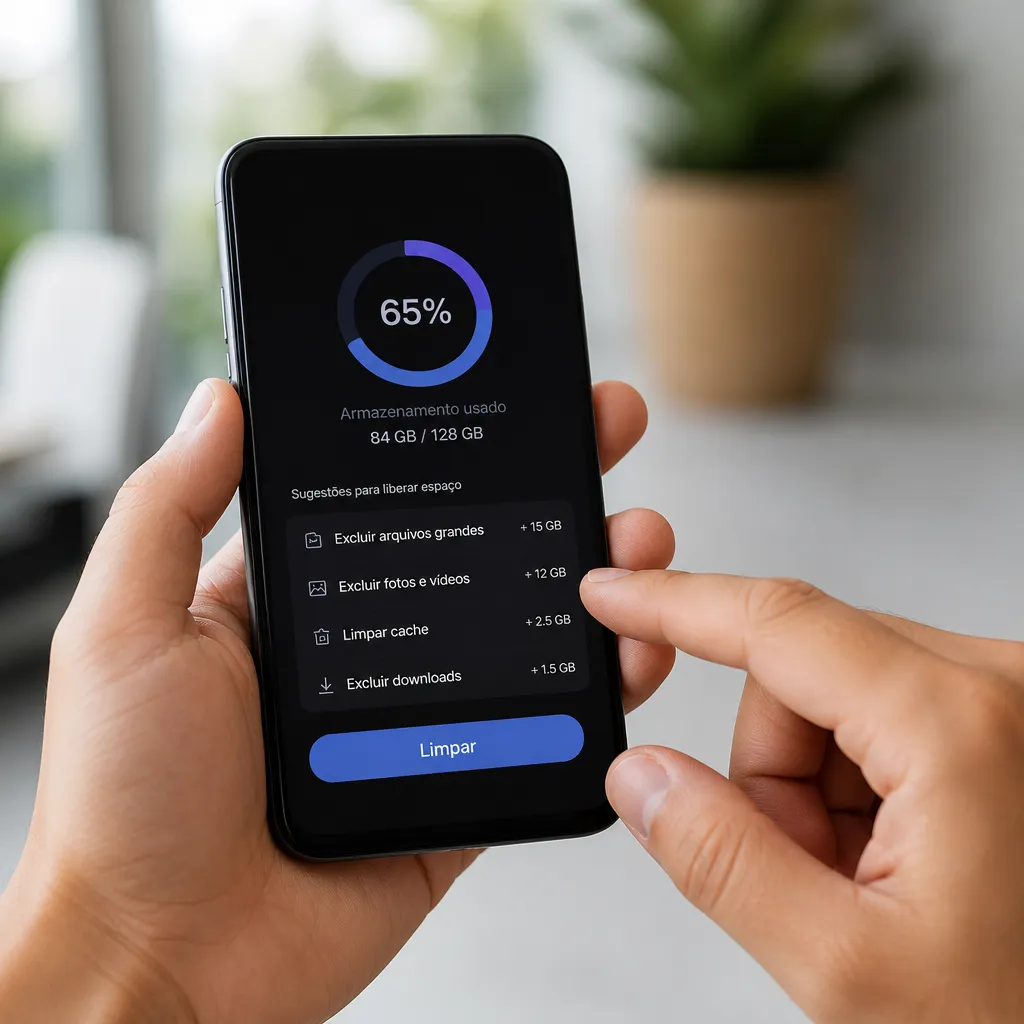
Before you start deleting, it is important to know exactly what is consuming space on your phone. Go to the Device Settings and look for the option “Storage” or “Storage Space”. There you will see a graph showing how much space each category occupies: apps, photos, videos, documents and other files. This view helps you prioritize what to discard first.
You can also check which apps are using the most space by going to “Apps” in Settings. Some apps accumulate a lot of cached data and cookies over time, taking up gigabytes without you realizing it. Identify the biggest culprits and decide if you really need them installed so often.
Delete Apps You Don’t Use
Most people have dozens of apps they have installed once and never opened again. These apps take up valuable space and may be consuming data in the background. Do an honest audit: hold each app icon on the home screen and consider if you actually use it. If it has not opened for more than two months, it can probably be removed without impact on your life.
When you remove an app, the space is released almost instantly. If you need it again later, you can quickly reinstall through the app store. This way, you keep only the essential apps on your phone and free up memory for what really matters, such as photos, messages and work files.
Clean Application Cache
The cache is a temporary file that applications store to load content faster the next time you use the app. However, this cache accumulates and consumes gigabytes of space without you noticing. You can clear the cache without losing any important data. Go to Settings, choose a specific application and click “Storage” to find the “Cache Clear” option.
If you prefer to clear the cache of all applications at once, many phones offer this option also in General Settings. Cleaning regularly, you can free up 500 MB to 2 GB of space, depending on how many apps you use. This process is safe and does not affect functionality, saved passwords or browsing histories in the applications.
Organize and Delete Photos and Videos
Photos and videos are usually the biggest consumers of space on a mobile. You probably have a lot of duplicate, out of focus or low importance images stored in the gallery. Start by selecting and deleting low-quality or unnecessary photos. Also look for old videos that you have already watched and do not need to keep on the device.
A smart strategy is to use cloud services to back up important photos and videos before deleting them from your phone. This way, you free up local space while keeping files safe in the cloud.Many services offer free or subscription storage, allowing you to access your media from any device when you need it.
Remove Unused Downloads
The Downloads folder on your phone probably stores documents, PDFs, images and other files that you downloaded and forgot about. These files take up space but are usually not necessary to be on the phone in the long term. Open the file manager of your device, navigate to the Downloads folder and delete everything that no longer needs.
Make a habit of reviewing the Downloads folder every week or month. After checking and saving the important documents elsewhere (like Google Drive or Dropbox), you can completely clean the folder.This prevents Downloads from becoming a place where hundreds of unnecessary files silently accumulate, stealing valuable space.
Use Clever Cleaning Apps
There are third-party applications dedicated to automatically cleaning the storage of the mobile phone, analyzing and removing redundant, temporary and unnecessary files. Applications like this can be useful for users who do not want to do manual cleaning. They automatically identify what can be safely removed, such as duplicate files, uninstalled app residues and temporary data.
When choosing a cleaning application, research a lot about the reputation and user reviews. Prefer applications that clearly tell you what they will delete before performing the action.Some of these applications offer additional features such as RAM memory optimization and battery monitoring, helping you to keep the mobile performative in the long term. Use the tool as a complement, not as the only method of organization.
Set Up Settings to Avoid Future Accumulation
After clearing storage, set up settings that prevent excessive accumulation in the future.Configure your phone to automatically back up photos and videos to cloud services, allowing you to delete these files from your device after the backup is complete. Disable the option to keep local copies if the cloud already has the latest version.
Also review the settings for downloads of messengers like WhatsApp and Telegram. These apps automatically download photos, videos and documents you receive, taking up space quickly. Adjust so that files are not saved automatically, or set to save only to a specific folder that you clean regularly.Small changes in settings make a big difference in the amount of space you keep free over time.
Monitor Storage Regularly
Storage cleaning is not something you do once and forget. To maintain the performance of the phone, it is important to periodically monitor how much space is being used. Take time each month to check the Storage Settings and identify if something is consuming more space than normal. This habit prevents the phone from slowing down again.
You will notice that performance improves significantly after freeing up space. The mobile opens applications faster, processing is more agile, and even the battery can last a little longer because the system does not have to work as hard. Keeping available space is critical for your device to continue working well for years, saving you from possible crashes, crashes or need for full formatting.