
App to Monitor Glucose: Control Your Health
Announcements
Monitoring glucose manually is a tiring routine that many diabetics face daily. An application to monitor glucose turns this need into a simple task, integrated into your smartphone and connected with health professionals.
Announcements
Currently, there are dozens of apps available in the app stores, but not all of them deliver the functionality and reliability you need to manage your health effectively. The correct choice of the app can make a difference in your glycemic control and in preventing complications.In this article, you will find out how these apps work, what features are essential and, most importantly, what are the most common mistakes made by users when trying to use these tools.
How an App Works to Monitor Glucose
An app to monitor glucose acts as an electronic diary connected to your blood glucose meter. You record blood sugar values manually or through automatic synchronization with compatible Bluetooth meters, and the app stores this data in a secure cloud. This integration allows you to access historical information from any device and share with your doctor when necessary.
The most modern applications use artificial intelligence to identify patterns in your measurements.If you tend to have hyperglycemia always at the same time or after certain meals, the app detects this and alerts you about possible causes.In addition, many of these applications allow you to record meals, physical activities and medications, creating a complete context about your health status. This holistic approach makes glycemic control much more efficient than just writing down numbers on a paper.
Syncing with wearables and smartwatches is also an increasingly common feature.You can view your glucose variations directly on the smart watch, receive instant notifications about critical levels, and even share your data with family members or caregivers in real time.
Essential Resources You Should Look For
The first aspect to consider is compatibility with your current blood glucose meter. It is no use having a great app if it does not work with your device. Check the app description which meter models are supported and, if necessary, consider investing in a compatible meter. Most popular apps support major manufacturers like Accu-Chek, Contour, FreeStyle and OneTouch, but always confirm before downloading.
The security and privacy of your data is absolutely crucial as you will be storing sensitive health information on a remote server. A good application should encrypt your data in transit and at rest, use two-factor authentication, and comply with regulations such as LGPD in Brazil or HIPAA in the United States. Carefully read the privacy policy before creating your account and make sure the company ensures that your data will not be sold to third parties.
Customizable reports and charts are also features that make a difference to your experience. A quality app offers clear views at different times (daily, weekly, monthly), trend charts that show whether your control is improving or worsening, and PDF reports that you can take to your endocrinologist’s appointment. These charts help you and your doctor identify patterns and adjust treatment more accurately.
The customizable reminders and alerts feature is essential for you to not forget to measure your glucose at recommended times. A well-designed app allows you to set up hyperglycemia and hypoglycemia alerts with custom limits, reminders to take medication, and notifications for periods when you normally forget to measure.
Integration with broader health apps is a growing differentiator.Some apps let you share data with MyFitnessPal for calorie control, Strava for tracking physical activity, or even your electronic hospital record.This integration reduces the work of manual data entry and ensures you have a 360-degree view of your health.
Common Errors When Using Glucose Monitoring Apps
One of the most frequent mistakes is not setting the blood glucose goals correctly in the app. Many users simply accept the default values of the app, which are usually generic and may not be in line with the specific recommendations of your doctor. Your fasting blood glucose goal may be different from someone else’s, and using incorrect values leads to false alarms that you end up ignoring. Before using any app, talk to your endocrinologist about your personal blood glucose control goals and set them manually in the app.
Another common mistake is to log data inconsistently or just when you remember. You decide to use an app to monitor glucose, do it religiously for two weeks, then forget for a week, and go back to use. These irregular intervals hamper the analysis of patterns that the app algorithm tries to do. Full historical data is essential for the app to identify real trends, so you should commit to a consistent record, even if it means setting aggressive reminders on your phone.
Ignoring the app alerts and notifications is a very common behavior that completely reduces the effectiveness of the tool. If you have set up a hypoglycemia alert and start ignoring it because you think they are false positives, you are wasting the value of the app. Instead, adjust the alert settings or analyze why false positives are happening. Maybe your hypoglycemia threshold is too high, or maybe you are not eating enough before you exercise. Use the alerts as clues to improve your control, not as nuisances to silence.
Not sharing your data with your doctor is a mistake that drastically reduces the value of the tool. The application provides rich information that can help your doctor adjust your medication or eating plan, but this is only possible if he has access to your data. Many apps offer the functionality of exporting reports or granting direct access to the doctor, so take advantage of this. Take a chart of the app to your appointments regularly.
Trusting the app’s analytics and recommendations blindly is another significant risk. While many apps use sophisticated algorithms and even artificial intelligence to interpret your data, they don’t replace the evaluation of a real medical professional.If the app suggests you adjust your insulin or change your diet, always confirm with your endocrinologist before making any changes.
Neglecting application maintenance and updating is also harmful. Developers release new versions regularly with security fixes, new features, and performance improvements. Many users simply ignore update notifications, leaving your app running with old versions that may have vulnerabilities.
Using an app unsuitable for your type of diabetes is a strategic mistake.Some apps are optimized for type 1 diabetes, while others work best for type 2 or gestational diabetes.An app designed for type 1 may have very detailed carbohydrate counting features that are not relevant if you have type 2. Search and choose an app that is specifically recommended for your situation, or test a few before committing to one.
Advanced Features that Add Real Value
Predictive analytics functionality is transforming how people manage their glucose. Some more advanced apps use machine learning to predict how their blood glucose will behave in the next 15 to 30 minutes based on historical patterns and current input data.This allows you to make proactive decisions, such as eating a snack before a predicted glucose drop, rather than reacting after it has already happened. This predictive ability is particularly valuable for people with type 1 diabetes who use insulin.
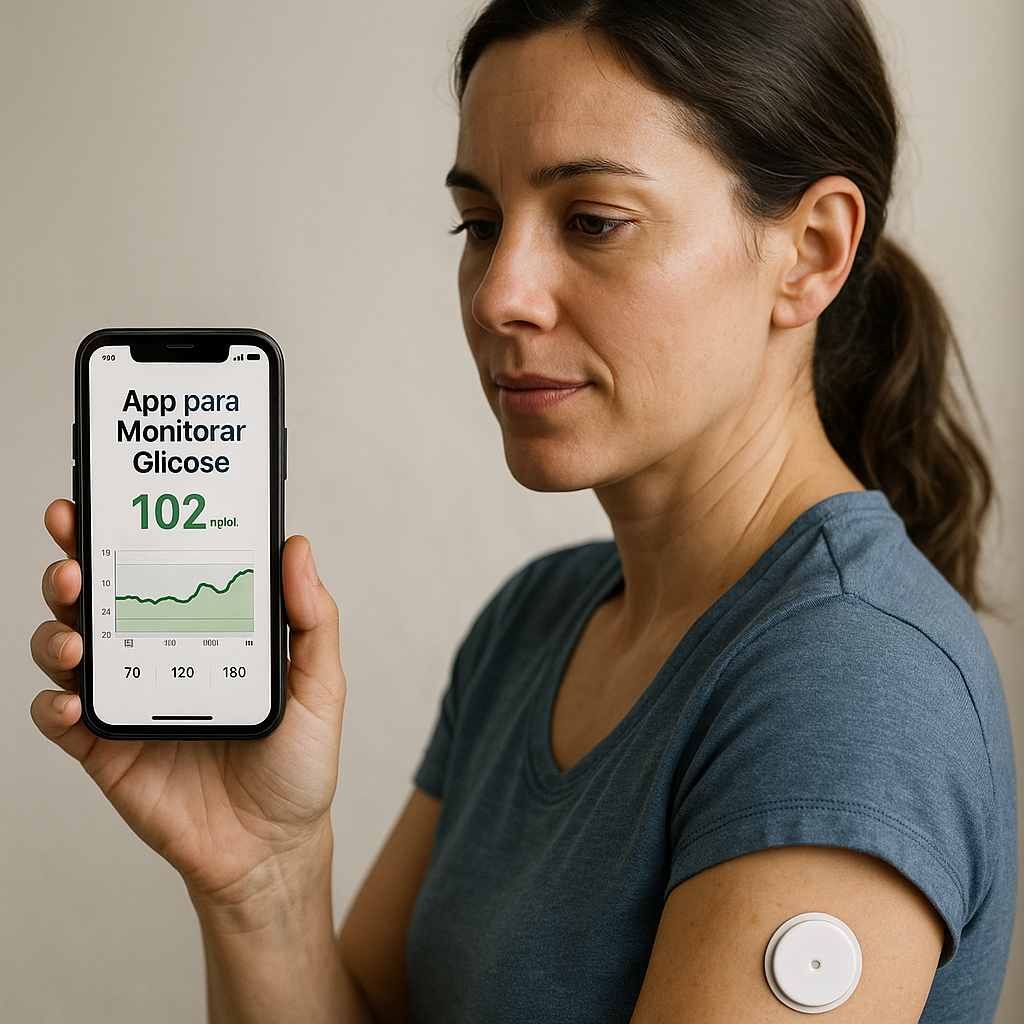
Integration with continuous glucose sensors is another important advance. If you use a CGM (Continuous Glucose Monitor) like FreeStyle Libre or Dexcom, many apps automatically synchronize with these sensors, eliminating the need to enter the values manually. You get a continuous view of your blood glucose throughout the day, not just snapshots at specific times.
Coaching and education features integrated into the app help you better understand your condition. Some apps offer articles, educational videos, healthy recipes and lifestyle tips directly in the app. This turns the app from a simple number logger into a complete educational tool that improves your health literacy and empowers you to make better decisions.
The secure social sharing functionality allows you to connect with others living with diabetes.Some apps have integrated communities where you can share tips, ask questions and get emotional support from people who understand the challenges you face.
Assessing the Quality and Reliability of an App
Start by checking user reviews and comments in the app stores.Search for patterns in the negative or positive feedback to understand the strengths and weaknesses of the app.If you see multiple reports of synchronization failures or security issues, this is an important warning sign.On the other hand, if most users praise the ease of use and accuracy of the reviews, this is a good indicator of quality.
Research whether the app is recommended by reputable medical organizations or has undergone clinical validation processes.Some apps have organ certifications like FDA or have published research showing its effectiveness.A quick search of the scientific literature can reveal whether the app you are considering has proven validity. Apps recommended by the American Diabetes Association or renowned endocrinologists tend to be more reliable.
Check the age and size of the developer company.Small startups may offer innovative applications, but are at greater risk of closing or discontinuing the service. Established companies like Abbott, Roche or Novo Nordisk have more stability, but their apps may be less innovative. Consider which one is more important to you: innovation and flexibility or stability and long-term support.
Test the app before committing to it. Many apps offer free trial periods or lite versions with basic functionality. Use this period to check if the app is intuitive, if syncing works correctly with your meter, and if the experience is enjoyable. Do not assume that an app that works perfectly for your best friend will work equally well for you, because the processes and needs of each person are different.
Implementing an App to Monitor Glucose in Your Routine
Start by choosing a single application and using it exclusively for a month, not switching between multiple apps. This consistency allows the app algorithm to accumulate enough data to make accurate analysis and get you used to the interface. Constantly changing the app impairs data quality and prevents you from developing a consistent routine of use.
Set up all alerts and reminders in the first few days of use and do not change constantly. It is tempting to adjust alert limits every week, but this can result in settings that do not make sense in the context of your general treatment. Discuss your optimal settings with your doctor once and leave as is for at least a month before making any significant changes.
Establish a clear routine of when you will review your data. Some users do a quick daily analysis, while others prefer a more detailed weekly analysis. Regardless of which one you choose, establish a pattern and stick to it. This regular review keeps you aware of your progress and helps you identify problems quickly before they become established patterns.
Involve your family or caregivers in the process by sharing relevant data with them. If you have permission from the app to add family members as observers, do so. Having someone track your progress provides additional emotional support and ensures someone can alert you if troubling patterns appear when you are distracted or traveling.
Use the app data for productive conversations with your doctor instead of just bringing random numbers. Prepare for the appointment by exporting reports from the period since your last visit and identifying specific questions based on what you observed in the data. A focused, data-driven conversation is much more productive than vague discussions about “how you think your control is”.
Final Considerations on Choice and Use
An app for glucose monitoring is a powerful tool that can transform the management of your diabetes, but only if you use it correctly and choose the right option for your specific needs. Avoid common mistakes like improper configuration, inconsistent use, ignore alerts and blindly rely on the reviews of the app. Instead, use the app as a smart addition to your regular medical care, always under the guidance of a qualified healthcare professional.
Remember that technology is a facilitator, not a complete solution.The app stores data, identifies patterns and offers reminders, but you are the one who makes the daily choices that really impact your glycemic control.Your dedication to recording data consistently, acting on the insights provided by the app and collaborating with your healthcare professionals is what truly makes a difference in your diabetes journey.



