
Mechanical Scanner App: Quick Diagnostics
Announcements
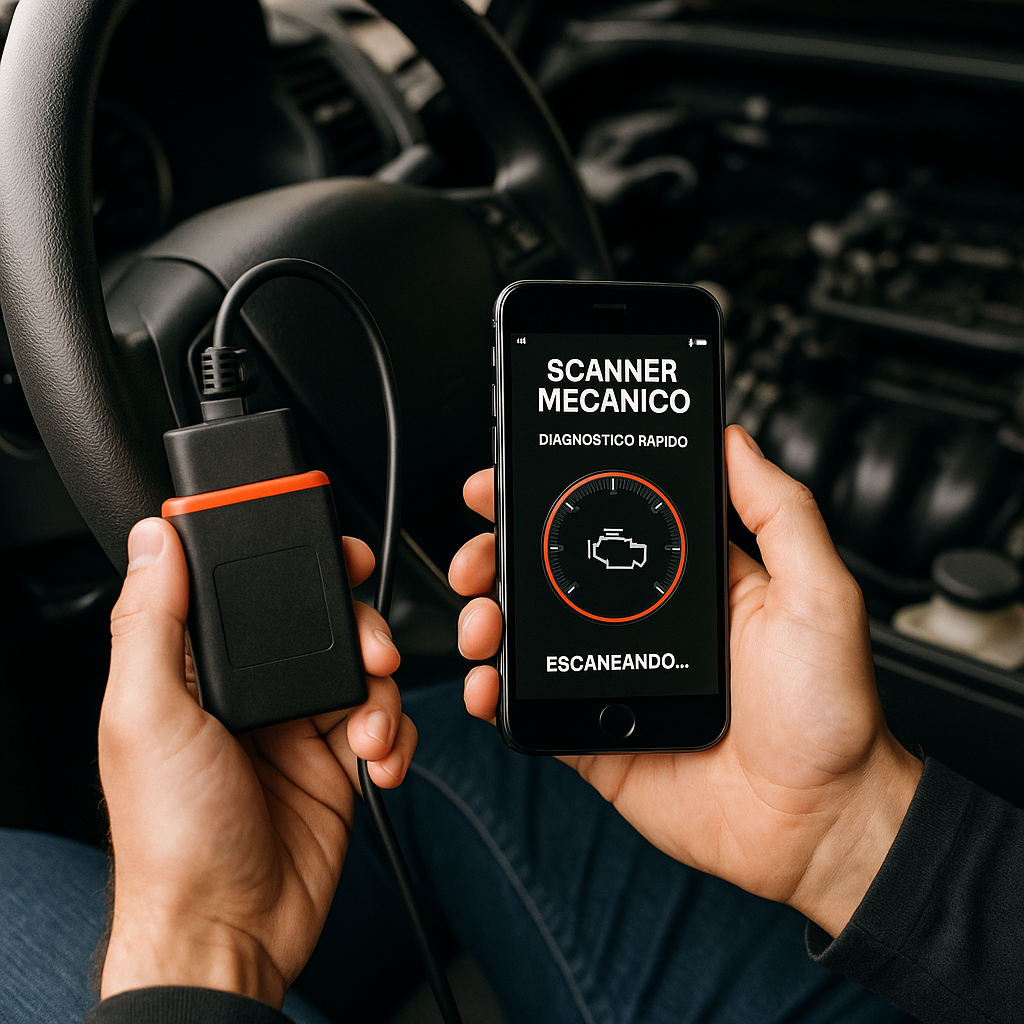
A mechanical scanner app modernizes the way you diagnose problems in the vehicle, turning your smartphone into a professional error code reading tool.This technology connects directly to the car’s diagnostic system, offering real-time information about engine operation and related systems.
Announcements
The practicality of using a scanner application for mechanical diagnosis goes far beyond simple code reading. You access detailed data on vehicle performance, avoid unnecessary expenses in workshops and gain autonomy to understand exactly what is happening to your car before any intervention.
How a Mechanical Scanner App Works
The mechanical scanner app uses a Bluetooth or WiFi adapter that connects to the OBD-II (On-Board Diagnostics) connector of your vehicle. This connector usually sits under the dashboard, near the steering wheel, and is the gateway to access all electronic data from the car. As soon as you connect the adapter and open the application on the mobile, you begin to receive information in real time.
The operation is based on the reading of the CAN protocol (Controller Area Network), which standardizes how the vehicle systems communicate. When something works out of the standards, car sensors generate fault codes (Diagnostic Trouble Codes – DTCs) that the app captures and translates into clear language. You come to understand, for example, if the problem is in the oxygen sensor, the EGR valve or the catalyst.
Advantages of Using a Vehicle Diagnostic Application
One of the biggest advantages is the saving of time and money. You no longer need to go to a workshop just to find out what the real problem of the car is, eliminating expensive consultations with proprietary equipment that cost thousands of dollars. With the mechanical scanner app, you make this initial diagnosis at home, spending only the price of the adapter and the application.
Another significant benefit is real-time information while driving.Some more advanced apps allow you to monitor parameters such as engine temperature, rotation, fuel consumption and battery voltage while you drive.This works like an enlarged instrument panel, showing data that the on-board computer does not display normally.
Autonomy is also an important differential.You no longer depend on the availability of mechanics, workshop opening hours or time-consuming schedules.At any time, anywhere, you can connect the adapter to the vehicle and get reliable technical information about what is happening.
Advanced Strategies to Maximize Scanner App
To get the most out of your mechanical scanner app, the first step is to perform periodic diagnostics even without visual alerts on the dashboard.Many emerging problems appear as pending codes on electronic systems weeks before they cause serious vehicle failures. By doing monthly checks, you identify anomalies early and avoid higher costs.
Another advanced strategy is to correlate historical data from multiple diagnoses. If you record information every week or month, you can observe trends, such as gradual deterioration of sensors or intermittent problems. Some apps allow you to export this data in charts and reports, making it easier to analyze patterns that traditional mechanical views could lose.
Optimization through custom monitors also offers valuable insights. Instead of just reading generic codes, set up the app to track specific parameters of your car: air consumption, exhaust gas temperature, fuel pressure or voltage from critical sensors.
Essential Quality Features in a Mechanical Scanner App
A good mechanical scanner app should offer reading and cleaning of fault codes with accurate interpretation in English. But in addition, look for applications that bring history of failures, allowing you to consult which codes appeared and when, essential to track recurring problems. The parameterized data capture feature (live data stream) is also critical to monitor variables in real time.
Compatibility with different vehicle communication protocols is another critical feature.Cars may use different protocols depending on the brand and year, so choose an app that supports SAE J1850 PWM, SAE J1850 VPW, ISO 14230 and ISO 15765. Some more robust applications cover even proprietary protocols from certain manufacturers.
While basic apps offer generic explanations like “defective oxygen sensor”, advanced solutions detail which components are involved, possible causes of failure, level of severity, and consequences if ignored. This wealth of information turns the app from simple reader into a real diagnostic tool.
Practical Optimizations to Improve Diagnostic Experience
Before starting any diagnostic session, make sure that the adapter is well connected on the OBD-II connector and that Bluetooth or WiFi is enabled on the smartphone.Many users waste time trying to connect when the problem is simply a loose contact. Occasionally clean the adapter contacts with isopropyl alcohol to ensure clean and interference-free data transmission.
Set your mechanical scanner app preferences to your specific needs. Enable notifications for high severity codes, set measurement units you know (km/h instead of mph), and customize which parameters appear on the monitoring home screen. This customization saves time during frequent diagnostics and makes the interface more intuitive.
Keep the code interpretation database always up to date.Many apps connect to online servers to download the latest fault information, which improves the accuracy of explanations received. Before using the app in critical situations, download all available updates and check for updated maps specific to your vehicle model.
Use Cases and Practical Applications of Scanner App
Imagine that your car began to consume more gasoline than normal. Before, you would take straight to the workshop and pay diagnosis. With the mechanical scanner app, you connect the adapter in five minutes and already check for codes related to the catalyst, EGR valve or injectors. If a sensor is reading abnormal values, the app shows exactly which, saving you from unnecessary replacements.
Another common scenario is the diagnosis of intermittences. The car works well most of the time, but occasionally has ignition failures or hesitation in the accelerator. Intermittent codes often disappear when you arrive at the workshop, frustrating mechanics.The app allows you to monitor live data while you drive in the same conditions that cause the problem, capturing exactly the moment when the failure occurs and what parameters deviate from normal.
For owners who perform own maintenance, the mechanical scanner app is invaluable. You replace a part, clean the fault code and check if the problem has really been solved, all without paying anyone. This turns the app into investment that pays for few interventions, especially for those who have more than one vehicle in the family.
Comparison Between Scanner Apps and Traditional Services
A diagnosis in a traditional workshop costs between R $ 100 and R $ 300 just to read error codes, not to mention the manpower to repair. With a mechanical scanner app, you invest once in an adapter (R $ 80 to R $ 150) and an app (usually free or R $ 20 to R $ 50), getting tool that works indefinitely. Financially, the savings is substantial in a few months.
In addition to the cost, there is a question of flexibility and privacy. Third-party workshops access sensitive vehicle data and your diagnostic history. With the scanner app, you keep this information private, stored on your own smartphone. You also diagnose when you want, without relying on business hours or schedules that can take days or weeks.
The disadvantage of apps over professional services is that they require user interpretation. An experienced mechanic can connect dots between seemingly unrelated codes and diagnose the real root of the problem. An app provides raw data that you need to understand. However, this limitation decreases significantly with the knowledge gained after some practical uses.
A mechanical scanner app offers the best cost-effectiveness for initial diagnostics and continuous monitoring.Use it as a first line of research, and seek professional mechanics only when interpreting the data requires specific expertise or when physical problems need face-to-face analysis. This strategic combination maximizes your economics and diagnostic quality.



