
App to Free Cell Phone Memory!
Announcements
Your mobile phone is slow and constantly crashing? Full memory is one of the main causes of this problem, and using an app to free up memory from the mobile phone may be the solution you are looking for. In this article, you will learn how to choose the right tool, avoid common mistakes and optimize the performance of your smartphone safely and efficiently.
Announcements
Cell phone memory works differently than computer RAM, and many users make serious mistakes when trying to free it. You can damage the operating system, lose important data or even install malware disguised as a legitimate application.
How Cell Phone Memory Works
There are two types of memory on your smartphone: RAM (random access memory) and internal storage. RAM is used by the operating system to run applications and processes, while internal storage stores your installed files, photos, videos and applications. An app to free up mobile phone memory works mainly by cleaning unnecessary data and shutting down background processes that consume RAM.
When you use an application, it caches files in the device memory even after it is closed. These temporary files take up space in RAM and storage, slowing your phone down gradually. A good memory cleaning app identifies and removes these files without harming the normal operation of the system, keeping the essential data intact.
The operating system (Android or iOS) already has built-in mechanisms to manage memory automatically, but these systems do not always work optimally for the specific use of each user. Therefore, a complementary app to free memory can make a difference when you realize that your phone is too slow or crashing frequently during use.
Common Errors When Using Memory Cleanup Apps
One of the biggest mistakes you can make is using dubious apps downloaded from untrustworthy sources.Many malicious developers create apps that promise to free up memory, but actually installed adware or spyware on your device.Always download apps only from the Google Play Store or official App Store, checking the developer’s reputation and reading other users’ comments before installing.
Another serious mistake is to use very aggressive memory wipers that remove data necessary for the correct operation of important applications. You may think that you are optimizing your phone, but in reality it is creating instability in the system.The ideal is to choose an app that offers fine control over what data will be removed, allowing you to decide which applications to protect during cleaning.
Many users also make the mistake of performing memory wipe constantly throughout the day. This causes more battery consumption and processing than it actually saves, since the system spends energy to re-scan files that were cleaned minutes before. It is recommended to do a deep wipe once or twice a week, not several times a day.
Using multiple cleaning apps simultaneously is another frequent misconception that you should avoid altogether. When you install multiple apps of this type, they can conflict and compete for memory, worsening performance rather than improving it. Choose a single reliable app and use it consistently for best results.
Features You Should Look for in a Trusted App
A good app to free up mobile memory should offer a clear and intuitive interface, so you understand exactly what is being removed from your device. Look for apps that show details about which files will be deleted, how much space will be freed and what the potential impact on the security of your data. This transparency is critical for you to make safe decisions about cleaning.
Make sure your app has the specific features you need, such as cache cleaning, removing duplicate files, deleting unused apps, and managing battery consumption.A versatile app offers several complementary tools that work together to optimize your phone’s overall performance, not just by releasing memory in isolation.
Security should be your top priority when choosing any app for your device. Look for apps that have transparency about requested permissions, without asking for access to unnecessary personal information like contacts, photos, or location. A legitimate memory wipe app needs minimal permissions to function properly and should not require access to private data.
Check reviews and comments from real users in the app store before downloading. Experienced users often identify whether an app is trustworthy or problematic by pointing out in their comments any suspicious behavior or intrusive advertising. A quality app typically has a rating above 4.0 stars with tens of thousands of positive reviews.
Step by Step to Securely Release Memory
The first step is to back up your important data before you start any deep cleaning process. Connect your phone to your computer or use a cloud storage service to copy photos, videos and important documents.This simple precaution protects you from accidental data loss even if the cleaning app has some unexpected behavior.
Open the memory cleaner app you choose and scan your device completely. Do not rush this step: read the scan results carefully, noting which file types will be removed and if there are any categories you would like to protect. Some apps allow you to select or deselect specific categories before proceeding with the cleanup.
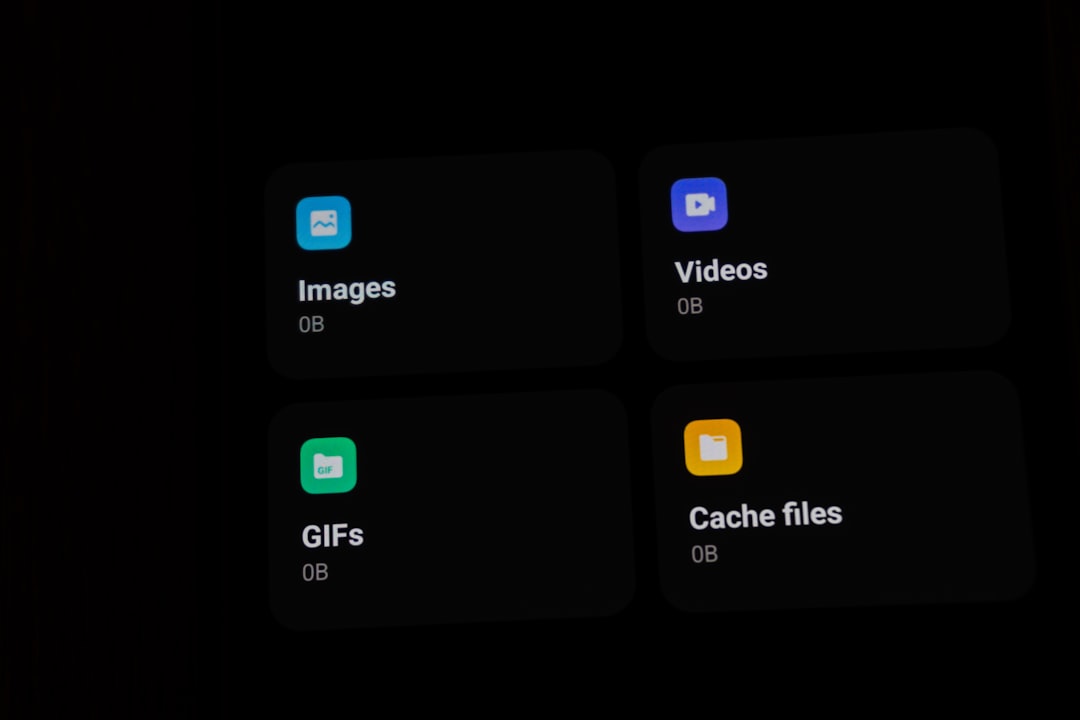
Before you confirm the cleanup, look for protection options that the app offers. Many trusted apps let you create a delete list with apps or folders that should not be changed during the cleanup. Add any apps that you consider critical to the operation of your phone, such as banks, communication apps, or work tools that you use daily.
Start cleaning and wait for the process to complete completely before closing the app or using your phone intensely. After cleaning is over, make sure all your important apps continue to work normally and that you can access your files without any problems. If you notice anything strange, you have your data backed up to recover if necessary.
Native Alternatives of the Operating System
You may not need an external app to free up memory if you properly use the native tools of your operating system. On Android, go to Settings, then Storage and see which apps take up the most space.The system itself offers options to clear cache safely without installing anything additional, just by accessing the settings of each app.
Most modern smartphones have built-in memory manager that works automatically in the background. You can access your device’s memory settings to monitor how much space is being used and receive automatic cleaning suggestions when memory runs low. This native approach is more secure because it was developed specifically for your device and operating system.
If you prefer a more manual approach, you can uninstall apps you no longer use, turn off automatic photo sync from memory-intensive platforms, and manually clean up unnecessary download folders and documents.These simple steps, performed regularly, can be as effective as using a specialized app to free up memory from your phone.
Preventive Maintenance to Avoid Memory Problems
The best strategy is to keep your phone healthy through preventive habits rather than waiting to do drastic cleanings later. Periodically review your installed apps and uninstall those you haven’t used in months, as each app takes up space and can run background processes unnecessarily.
Strategically manage your photos and videos by moving old content to the cloud or a computer instead of keeping them all in the internal storage of your phone.Many users accumulate thousands of photos that consume gigabytes of memory, significantly slowing down overall performance.
Set your phone to sync files only when connected to WiFi, preventing the system from constantly downloading data in the background. Disable unnecessary notifications of memory-consuming applications even when the app is not in use. The fewer processes running simultaneously, the more available RAM your system will have to perform its main activities.
Restart your phone regularly, at least once a week, to clean RAM and shut down background processes that may be piling up. A simple restart is one of the most effective ways to quickly free up memory without installing anything new. This habit also helps keep your system stable and responsive, reducing the need to use specialized apps frequently.
Signs You Really Need an App to Free Memory
You should consider using an app to free up memory from your phone when you notice that your device slows down significantly throughout the day, even after restarting. If apps start to close unexpectedly or your system crashes regularly, this indicates that RAM is constantly saturated. These signals show that more aggressive cleaning measures may be needed.
When the available storage space drops below 10% of the total capacity of your mobile phone, it is time to do a deep cleaning. At this point, the operating system begins to have difficulties to function normally, as it needs free space to perform basic operations and save temporary data. A specialized app can help identify and remove significant amounts of unnecessary data quickly.
If you recently opened many applications simultaneously and your phone is running very slowly, using an app to free up RAM can restore speed temporarily. This is a sign of excessive RAM consumption by open applications, which a good memory cleaner can solve by terminating unnecessary processes and clearing accumulated cache.
Another indicator is when your battery is draining much faster than normal, even without intensive use. This may mean that background applications are consuming a lot of memory and processing, quickly draining the battery. An app to free up memory can help terminate these parasitic processes and significantly extend the autonomy of your device.



