
Automotive Scanner App: Vehicle Diagnosis
Announcements
An automotive scanner app is the essential tool that turns your smartphone into a powerful vehicle diagnostic equipment.With this technology, you can identify problems in the car in seconds, saving time and money in workshops.
Announcements
The reality is that many vehicle owners are unaware of how to properly use these applications and, most importantly, what features actually work.This article presents a different approach: a practical checklist so that you maximize the potential of your automotive scanner and do not fall into common traps.
Why Choose an Automotive Scanner App Instead of Traditional Equipment
Traditional automotive scanners cost between R$ 800 and R$ 5,000, in addition to requiring storage space and specific technical knowledge. An automotive scanner app works with any smartphone and offers similar functionality, making it accessible to car owners who want to monitor the health of the vehicle regularly. Portability is a great advantage: you carry the diagnosis of your car in your pocket.
Another key difference is in the frequency of use. While a professional scanner is stored in the garage, the app is always at hand for quick queries. You can check error codes as soon as the warning light turns on on the panel, before the problem worsens and it costs expensive to repair. This preventive approach significantly reduces emergency maintenance expenses.
How Automotive Scanner Technology Works in Applications
Automotive scanners work through a connection to the vehicle’s electronic control unit, known as the ECU. To establish this communication, you need a Bluetooth or WiFi adapter that connects to the OBD-II (On-Board Diagnostic) port, located under the steering panel. The app then reads the transmitted data and converts it into readable information for the average user.
The OBD-II protocol is a mandatory international standard in all vehicles manufactured after 1996 in the United States and 2000 in Europe. This means that most Brazilian cars sold are equipped with this port, making the scanners apps practically universal. The quality Bluetooth adapter costs between R $ 50 and R $ 150, offering an excellent cost-benefit for the total investment.
Complete Checklist to Maximize Your Automotive Scanner App
Before you start using an automotive scanner app, you should follow a sequence of checks to ensure the best experience and accurate results. This checklist was developed considering the most common errors and best practices for vehicle diagnostics.
Initial Preparation and Compatibility
First, make sure your smartphone meets the minimum technical requirements: updated operating system (iOS 12 or Android 8 or higher), stable Bluetooth connection and at least 100 MB of free space.Many users face problems by trying to use applications on outdated or low battery cell phones, compromising the quality of data reading. Also make sure that the OBD-II port of your car is accessible and not locked by corrosion or dirt.
Then research on the specific compatibility of the chosen app with your vehicle. Some apps work best on European-branded cars, while others are optimized for Asian or American. Read the reviews of users who own the same car model before installing, saving time with unnecessary downloads. Confirm that the OBD-II adapter is marked as “compatible with the app” and has quality certification.
Correct Adapter Installation and Initial Configuration
Locate the OBD-II port on your vehicle: it usually hangs underneath the driver’s dashboard, next to the steering column. Before inserting the adapter, turn off the engine and wait a few seconds for the electronic systems to stabilize, avoiding voltage spikes. Insert the Bluetooth adapter completely until you hear a click confirming the correct and safe fit.
Turn on the car without starting the engine, leaving it in the “accessories” position Open the scanner app on your smartphone and activate Bluetooth in the settings. The application should detect the adapter in seconds and display a successful connection message. If this does not happen, restart the adapter by removing it for 30 seconds and reinstalling it. Persistent cases may indicate limited compatibility or faulty adapter, requiring change.
Initial Reading of Diagnosis and Documentation
With the connection established, run the first diagnostic readout. The app will display information such as RPM, engine temperature, fuel pressure and error codes (if any). Photograph or export this initial data as a reference, creating a history that allows you to track changes over time. This record is extremely valuable for differentiating chronic problems from specific situations.
Understanding the error codes displayed is crucial for a correct diagnosis.Each code follows the P-XXXX standard (for example, P0128 indicates engine temperature problem). Write down the codes found and search for their meanings in the app or in specialized databases.Do not ignore seemingly mild warnings, as they are often precursors of larger failures that will cause unforeseen and expensive stops.
Periodic Testing and Continuous Monitoring
Establish a routine of checks: every 500 kilometers or weekly, perform a rapid diagnosis by monitoring critical parameters such as engine temperature, fuel consumption and emissions status. This frequency allows you to detect gradual degradations before they become emergencies. Write down any trends (temperature increase, pressure variation) that may indicate problems in development.
Especially during long trips, use the app to check the status of the vehicle at each fuel stop. Many problems start light and worsen quickly in heavy use. Keeping constant vigilance, you will have weeks or months in advance to schedule repairs at convenient times, avoiding emergencies that triple the final cost.
Understanding Advanced Data and Metrics
Most scanners offer real-time data visualization beyond basic error codes.You’ll find graphs showing engine efficiency, fuel consumption, lambda probe temperature, and more. Learn how to interpret this data: a stable temperature between 90-100°C is ideal, while larger variations indicate problems with the thermostat or faulty sensors.Anormally high consumption suggests worn spark plugs or clogged injector.
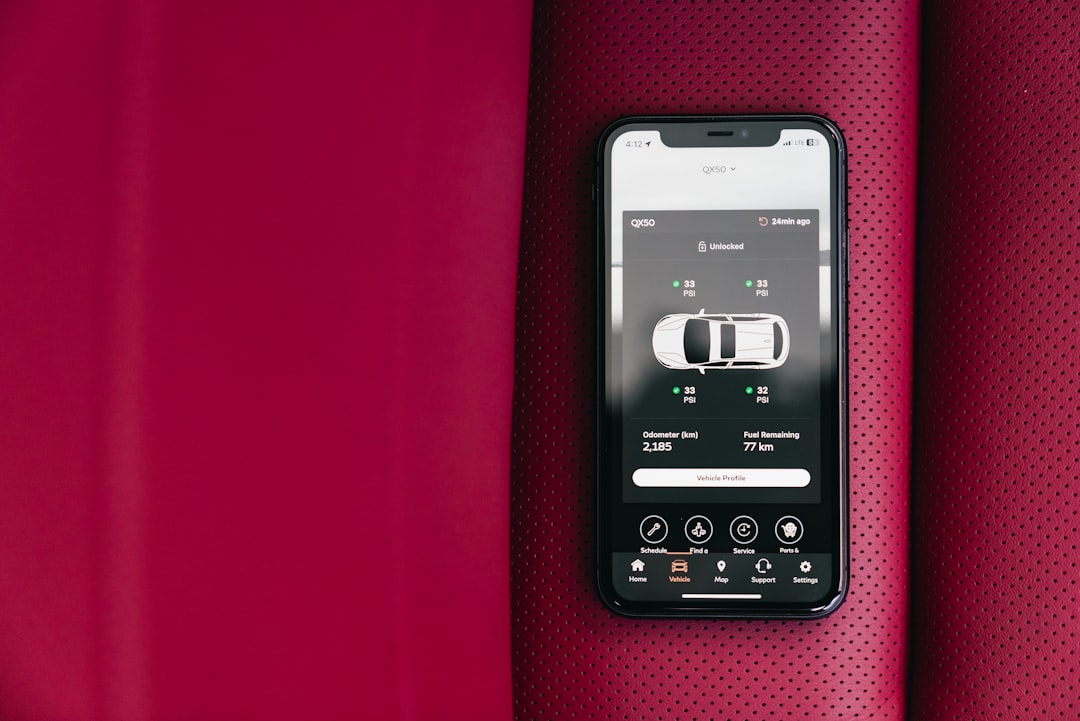
Compare your data to manufacturer specifications available in the owner’s manual or in the app itself. Observing trends in data over weeks offers more valuable insights than isolated readings. For example, if fuel pressure gradually reduces from 50 PSI to 35 PSI in a month, the fuel pump is failing and must be preemptively replaced before a full stop.
Troubleshooting Common Application Issues
If the app can’t connect to the vehicle, start with the basics: make sure that the Bluetooth of the smartphone is turned on, that the OBD-II adapter is well inserted into the port, and that the car is keyed in the accessories position.Many connection problems are solved with these three simple steps. If the intermittent connection persists, the adapter may have low battery or oxidized contacts.
Inconsistent data or “jumps” in values indicate unstable connection between adapter and smartphone. Change the position of OBD-II adapter slightly, as sometimes angulation interferes with the Bluetooth signal.Step away from other sources of electromagnetic interference such as high-voltage lines, nearby cell towers or even other connected Bluetooth devices. If the problem persists after these actions, consider acquiring a better quality adapter that operates at a more stable frequency.
Data Security and Privacy
Many apps scanners ask for permissions to access location, contacts or camera from your smartphone. Critically analyze each request: a genuine automotive scanner never needs access to your camera or contacts. Grant only absolutely necessary permissions like Bluetooth and storage. Suspicious apps that ask for excessive access should be discarded immediately, protecting your personal data.
Create an in-app account with minimal data if the platform requires login. Use a strong password and different from other accounts. Your car diagnostic data, if it is cloud synchronized, can reveal patterns of movement and frequent location. Check the developer’s privacy policies before agreeing to sync data, deciding whether you want to keep the records only on the local device.
Types of Problems You Can Diagnose with App Scanner
An automotive scanner identifies problems related to emission, fuel injection, ignition and transmission systems. If the “Check Engine” warning light comes on, the app will provide you with the specific error code and a description of probable cause. You will quickly learn whether the problem is simple as a loose fuel cap or complex as a damaged catalyst requiring expensive repair.
Automatic transmission problems are often detected: the app will show codes related to solenoids, oil pressure or clutch. Fuel injection problems appear as P020x and P030x codes, indicating specific cylinders with abnormal combustion.Faulty sensors generate P0100-P0190 codes (air sensors), allowing accurate identification of the missing component.In many cases, this exact diagnosis saves hours of manual investigation that a mechanic would charge.
Real Limitations You Should Understand
Although powerful, the scanners apps do not fully replace a professional diagnosis in workshop. They work only with information that the car ECU stores, and can not detect pure mechanical problems such as wear of brake pads, corrupted chains or loose bushings.A strange noise can indicate dozens of different problems: only practical experience differentiates a worn belt noise from a failing steering bearing.
Very old vehicles (pre-1996 in the US, pre-2000 in Europe) may have limited advanced data reading support. Exotic or custom-made brand cars often have modified systems that do not communicate correctly with standard OBD-II protocols. In these situations, the app will provide only basic codes or no information, requiring professional brand-specific scanner.
Differentials of the Best App Scanner Platforms
Recognized platforms like OteApp offer features that transcend simple code reading. They integrate repair history, preventive maintenance scheduling, estimated cost of repairs and connectivity with certified mechanics in the region. A quality app offers an active community where owners share solutions to specific car model problems, accelerator and issue resolution.
Integration with parts database, local workshop pricing and vehicle recall history turns the app into a complete personal fleet management platform.Smart notifications alert when the scheduled maintenance kilometer approaches, preventing delays that compromise the warranty.Export of PDF reports to take to the workshop with accurate diagnostics speeds repairs and eliminates unnecessary charges.
Integrated Strategy: Using the App Scanner with Preventive Maintenance
The true potential of the scanner app is revealed when integrated into a structured preventive maintenance plan. Combine regular app readings with oil changes at recommended intervals, monthly visual inspection of fluids and tires, and professional annual verification.This holistic approach reduces total cost of ownership by up to 40% compared to owners who only react when problems arise.
Keep a digital or physical record of all scanner readings, repairs performed and parts replaced.This history is pure gold when selling the vehicle, increasing resale value significantly. Potential buyers see complete maintenance documentation as a guarantee of reliability.In addition, this record helps to identify patterns (the P0128 sensor returns every 15,000 km?) that indicate root chronic problem requiring permanent repair.
Safety and Best Practices when Using Automotive Scanner
Never remove the OBD-II adapter while the engine is on or during acceleration, as it can interrupt communication with critical systems. Perform diagnostics with the car parked, engine off or at maximum idle. If you get curious and start the car while taking readings, keep the vehicle still and focus on the app, avoiding distractions that compromise driving safety.
Regularly clean the contacts of the OBD-II adapter with dry, lint-free cloth, preventing corrosion that degrades the quality of data transmission. Avoid forcing the adapter during insertion or removal, which can damage connectors. Store the adapter in a dry environment when not using, avoiding excessive moisture that corrodes metal contacts. A well-maintained adapter lasts for years, while negligence reduces its service life to months.



